Claude + Canva: How Modern Millie Batches a Month of Posts in One Sitting
Modern Millie connects Canva to Claude, teaches Claude her brand once, and turns her own Canva templates into 20 quote posts and carousels from a few prompts, plus simple Reels with Canva's Bulk Create. Her full setup and prompts, what it costs, and how to post the batch three times a week.

Co-founder of Pozy · Updated 21 Nov 2026 · 16 min read
After this article, you'll be able to:
- Connect Canva to Claude and give Claude a project that already knows your brand
- Build Canva templates Claude can fill without breaking your design
- Turn one list from Claude into 20 finished quote posts with one ask
- Go from 30 carousel ideas to a finished carousel in your own template
- Make 20 short text-on-video Reels at once with Canva's Bulk Create
- Put the batch on a Monday, Wednesday, Friday schedule that posts on its own
During her maternity leave, Modern Millie stopped creating for 3 months.
She didn't want her Instagram to go quiet. The answer she describes is simple filler: a quote, a Reel, a carousel, three times a week.
In her video, she makes that kind of post with Claude and Canva. Claude writes, Canva designs, and her own templates keep everything looking like her. One ask turns a list of 20 quotes into 20 finished posts.
20
finished quote posts from one ask to Claude, in her own template
36 or more
posts for 3 months off, at three a week, by her own math
350,284
views on her video about it
801,000
subscribers on her YouTube channel
She's honest about what it isn't: "this isn't a growth strategy." It's how you stay present when you can't create. I'll come back to that with my own numbers, because I batch too.
Let me show you exactly how it works.
#The big idea: Claude thinks, Canva designs, your templates keep it yours
The link between them is Canva's connector for Claude. A connector lets Claude open another app and work in it for you. With Canva's, Claude can make designs in your Canva account, fill your templates and export the files.
Most videos about making hundreds of posts with Claude and Canva skip one thing, she says, so the posts come out generic. Her fix is to do the design work once, by hand, in templates Claude has to follow.
- A Claude project that knows your brand
- A Canva Brand Kit with your colors and fonts
- Templates with labelled boxes
- One ask per batch
The batch then goes on your content calendar.
#Step 1: Connect Canva to Claude
You need a Claude account and a Canva account first.
In Claude, open Settings. Under Customize, choose Connectors. Use Add, browse the connectors, and search for Canva. Claude asks you to sign in to Canva and give it access. Millie's advice: give it full permissions.
Claude → Settings → Customize → Connectors → Add → Browse connectors → Canva
       → sign in to Canva → allow access
No Customize? Connectors sits right under Settings.
What it costs, from Canva's and Claude's pages on 21 Nov 2026:
| What | What it needs |
|---|---|
| Connecting Canva to Claude | Any Canva plan, Canva Free included |
| Claude's side | Canva's page says your AI "may also require a paid tier" |
| Brand Templates, locking and Bulk Create (steps 5 to 9) | Canva Pro, $18 a month for one person (see the catch below) |
One more catch. For Claude to use your Brand Templates, Canva's help page says you need "a paid plan". Its connector page says Enterprise. Millie says she's used Canva Pro for years. Her screen doesn't show which plan she's on today.
#Step 2: Make one Claude project per platform
Don't start a new chat. Millie makes a project.
A project is a folder of chats that share the same instructions. Claude uses them in every chat of the project, so you never explain who you are again. Free Claude accounts can make up to five.
She names it after her brand and one platform: "IMM + Instagram". Then she fills in what she's trying to achieve with this template:
I'm a content creator coach trying to grow to X followers on [PLATFORM] in [TIMEFRAME] with [CONTENT TYPE]Hers, filled in:
I'm a content creator coach trying to grow to 500k followers on Instagram in 6 months with Reels and carouselsPosting on several platforms? Make one project each. But if you haven't grown anywhere yet, her advice is to start with one platform. Branch out once something is rolling.
#Step 3: Tell Claude who you are, once
Next, the project's instructions. On the project page, open Instructions on the right. This is where Claude learns your brand: your target audience, your brand voice, your content pillars, your goals and the type of content you want.
Millie pastes a "social media strategist" prompt from her free AI prompt guide. It sets Claude to act as your strategist, and you fill in every blank in as much detail as you can. Her guide is hers, so I'm not copying it. Here's my version of the same idea:
You are my social media strategist for Instagram. Use this in every answer.

Who I am: [name, what I do, in one line]
Who I'm for: [the exact person, their problem, what they want]
How I sound: [3 words, plus 2 phrases I always use and 2 I never use]
My content pillars: [3 to 5 topics I post about]
My goal: [followers, leads or sales, by when]
What I post: [Reels, carousels, single images, how often]

When I ask for ideas or text, write like me, not like a brand. If something is missing, ask me before you guess.
Don't want to write it from scratch? Borja's free Channel Playbook interviews you, reads your rivals' recent videos through Pozy, and writes your whole strategy in one document. Paste the result here.
#Step 4: Set up your Canva Brand Kit
This is the step Millie says most people skip. It's why their posts look "so Pinterest 2015".
In Canva, click Brand in the left sidebar, open your Brand Kit and set up the basics. Claude pulls from it when it makes your posts.
| What goes in the Brand Kit | Why |
|---|---|
| Your brand colors | Your carousels and graphics use them |
| Your fonts, and how you layer them | Headings and body text look like you |
| A few lines on your brand voice | Canva can keep it in the kit |
| Your photos | Ready for any design |
Millie says the Brand Kit is a Pro feature. Canva's pricing page (21 Nov 2026) gives Free one Brand Kit and Pro five.
#Step 5: Build templates with labelled boxes, and lock the rest
In Canva, go to Home, then Social media, and pick the Instagram Post size (4:5). It opens at the right size. Scroll the templates and find one you could use again and again. The ones with a crown need Pro.
Choose Apply all pages (her template had four). Give your carousel template as many pages as your outline: 8 for a cover, the problem, 5 tips and a call to action. That page count is mine. Then make it yours: your font (apply it to everything), your colors.
Then the trick. Type into each box what Claude should put there. Lock everything Claude must not touch: select it, then click the padlock in the toolbar.
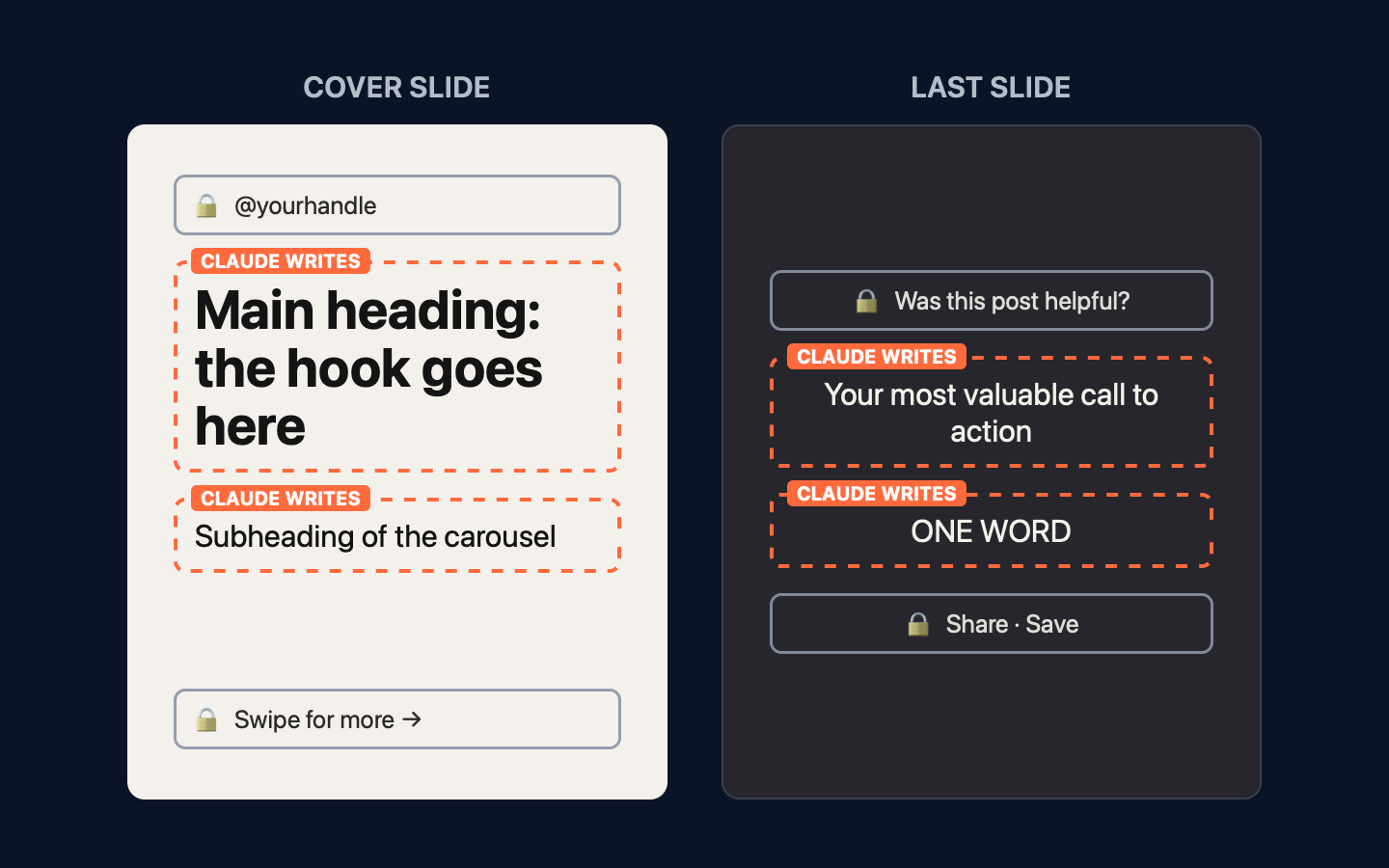
Her carousel template has a cover with a heading and subheading, then one slide per step, then a call to action at the end. Locking in Canva stops an element from being moved, resized or edited.
Give it a clear name, like "IMM Instagram Carousel Template #1". Then Share, See all, Brand Template, Add to Brand Kit, and Publish. A Brand Template is a template saved in your Brand Kit: Claude makes copies of it and never edits the original.
Millie makes three: a carousel, a single image with one quote, and a Reel.
The "60 minutes" in her title isn't timed on screen. Count on steps 1 to 5 taking longer the first time.
#Step 6: Batch 20 quote posts with one ask
Start with Claude. In the project, Millie asks:
Give me a list of 20 motivational quotes for aspiring content creators and entrepreneurs.Your job: read all 20. Make sure each one sounds like you, and is something you'd actually say.
Then open your quote template in Canva and make it 20 pages: duplicate the page with Ctrl+D (Command+D on a Mac) until you have 20. Save the change.
Then the one ask that does the design work. Her words, from her screen:
20. ⭐ "You're not asking for a partnership. You're offering one. Pitch like it."
Could you use my 'BSP Model Brand Kit' in Canva and create a design for EACH of these quotes using the 'Motivational quote sample template' in my 'Brand Templates' folder? (there are 20 slides in that template, so should be enough for all the quotes
Claude makes a copy of the template and leaves the original alone, so you can use it again. When it's done, it gives you a link. Open it, and all 20 quote posts are there.
On her screen, she skips the editing and sends the list as it is, "for sake of time". If you edit the quotes, paste your final 20 into the ask.
#Step 7: Turn 30 ideas into carousels, one at a time
Her carousel template is built for 5 tips. So the ideas have to fit it. She asks:
Can you create 30 educational carousel ideas for me? Each idea needs to be in a "5 Step", or "5 [...]The rest of her ask goes off her screen. Out loud, she says the ideas must be in a five steps, five tips or five tools format, "cuz that's what my template is in". My version, to copy:
Can you create 30 educational carousel ideas for me? Each idea needs to be in a "5 steps", "5 tips" or "5 tools" format, because that's what my carousel template is in.Then she picks one idea and asks for an outline. Her outline asks for 8 slides: a hook, the problem, 5 tips and a call to action.
This is her ask, word for word:
{{prompt}} Let's start working on #13 Carousel outline. Can you help me turn this idea into a rough carousel outline? Here is the structure I want you to follow:
Slide 1: Bold hook slide with subheading Slide 2: Introduce the problem/pain point. Keep text short and easy to scan. Slides 3-7:
- One key idea/step per slide
- Maximum 1-3 short sentences
- Include suggested emphasis words that should be bolded Final Slide:
- What the final slide CTA should be (saves, shares, comments, or following) {{/prompt}}
One rule she insists on: the tips come from you. "We're not trying to have AI be our brains." Use Claude's outline as a draft, then put your own five tips in.
When the outline is right:
Can you reference my 'BSP Model Brand Kit' and use the 'IMM Instagram Carousel Template #1' to turn this into a carousel in Canva?Her result, on the cover: "You don't need 100K followers to land brand deals. Here are the 5 steps that actually work." Then you open it in Canva and adjust what you want.
#Step 8: Batch all your carousels from one document
Millie also describes a fast way. She starts the document on screen but doesn't show the upload to Claude.
Open a Google Doc. Give each carousel idea its own heading, and write the outline under it, or have Claude help you outline each one. When they're all there, use File, then Download, and upload the file to Claude in the project. I'd pick PDF or Word.
# 5 steps to land your first brand deal
Slide 1: ...
Slide 2: ...
...

# 5 tools I use to plan a week of content
Slide 1: ...
That's my example of the layout. Then ask, in her words: "Use my brand kit and turn all of these carousel posts into carousel posts in Canva." My version, with the names Claude needs:
{{prompt}} I uploaded a document with [number] carousel outlines, one per heading. Use my '[Brand Kit name]' in Canva and the '[carousel template name]' in my Brand Templates to make one carousel for each heading. Keep my words. Give me the links when you're done. {{/prompt}}
She warns that it takes Claude "a lot longer".
#Step 9: Make 20 simple Reels with Canva's Bulk Create
Here Claude steps out. In July, Millie said Claude couldn't yet put text on a video and edit it in Canva. I checked Canva's connector page on 21 Nov 2026: it can make a social video from an idea or a script, but it doesn't list adding text to your own video.
So she uses Canva alone, and only for one kind of Reel: a short clip of B-roll (background footage) with one line of text on it. Like a quote.
- A 7-second video template
- Bulk Create
- Paste the 20 quotes
- Link the text box
- 20 Reels
The clicks:
- In Canva, go to Social media and pick a TikTok video template, the tall size. Set your font.
- Before you make copies, remove the audio and cut the video to 7 seconds. She says she should have done this first. She doesn't show those clicks. I'd select the video, turn its volume to zero, and drag the end of the clip in the timeline back to 7 seconds.
- Open Apps, then Bulk create under More from Canva, then Enter data manually.
- Clear the sample table and paste your quotes, one per row. Choose Done.
- Click the text on the video, then More, then Connect data, to link it to your quotes. Continue.
- Choose Create 20 designs.
You get 20 videos. Then, she says, she'd swap the B-roll in each one to fit its quote.
Bulk Create needs Canva Pro, and works with up to 300 rows.
#Step 10: Post it three times a week
Her example week for those 3 months off:
| Monday | Wednesday | Friday |
|---|---|---|
| A quote post | A Reel | A carousel |
Three posts a week for 12 to 15 weeks is 36 to 45 posts. Her video doesn't show how she schedules them.
That's the part I'd hand to Pozy. A queue is a weekly timetable, like Monday, Wednesday and Friday at 9am. You add a post to it and it takes the next free slot, with no date to pick.
I batch my podcast clips the same way. On 1 Nov 2026, in five minutes, 30 posts for my podcast's account went into Pozy: 14 Instagram Reels and 16 posts on X, set from 3 to 11 Nov. 26 went out. The last 4 are still drafts.
30
posts that went into Pozy between 11:51 and 11:56 AM Bali time, 1 Nov 2026
351 to 2,322
views on each of the 12 batched Reels Pozy has numbers for
62,890
views on the best Reel on the account since October
The batch kept the account posting twice a day for a week. None of those Reels took off: the best got 2,322 views.
 62,890 views1,671 saves · 474 shares46 s · 1 NovView on Instagram
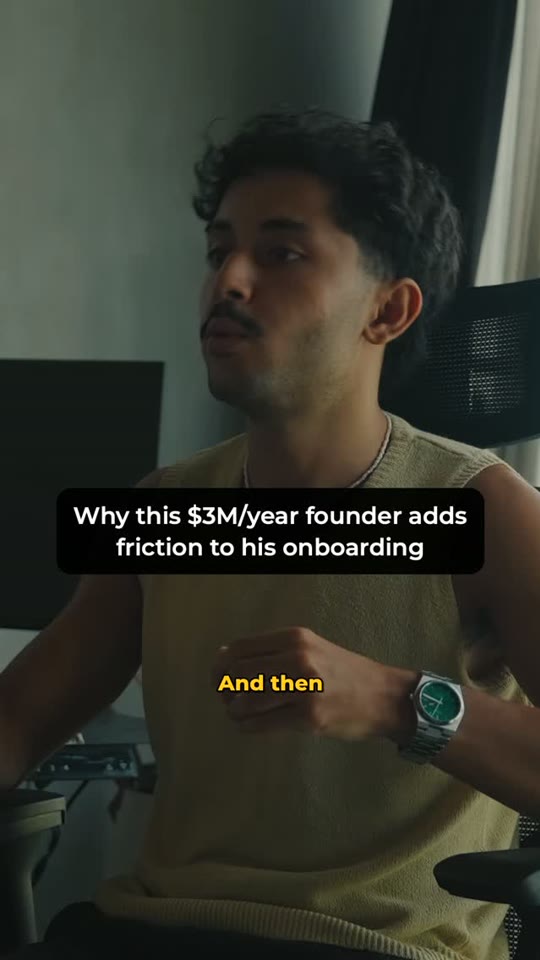 2,322 views25 saves · 33 shares39 s · 6 NovView on Instagram
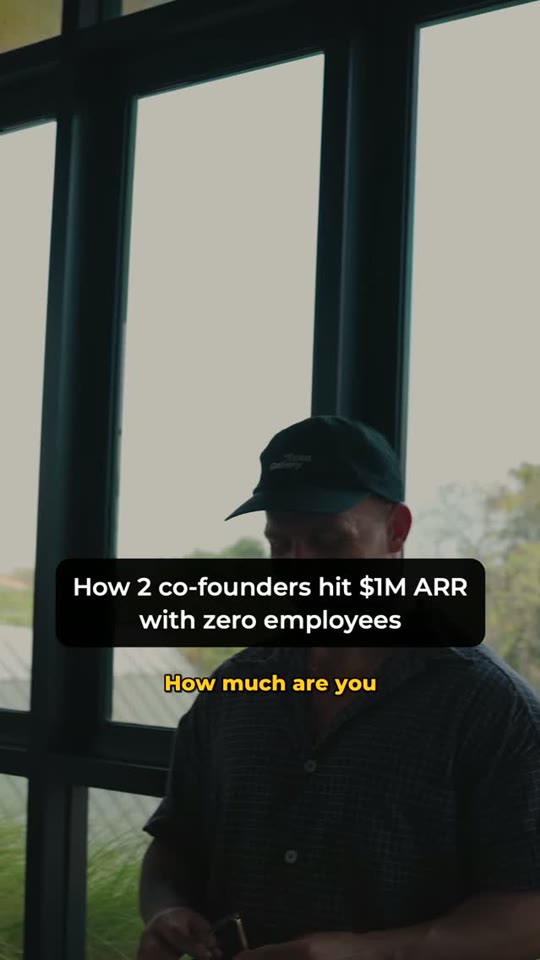 2,193 views23 saves · 4 shares65 s · 4 NovView on Instagram
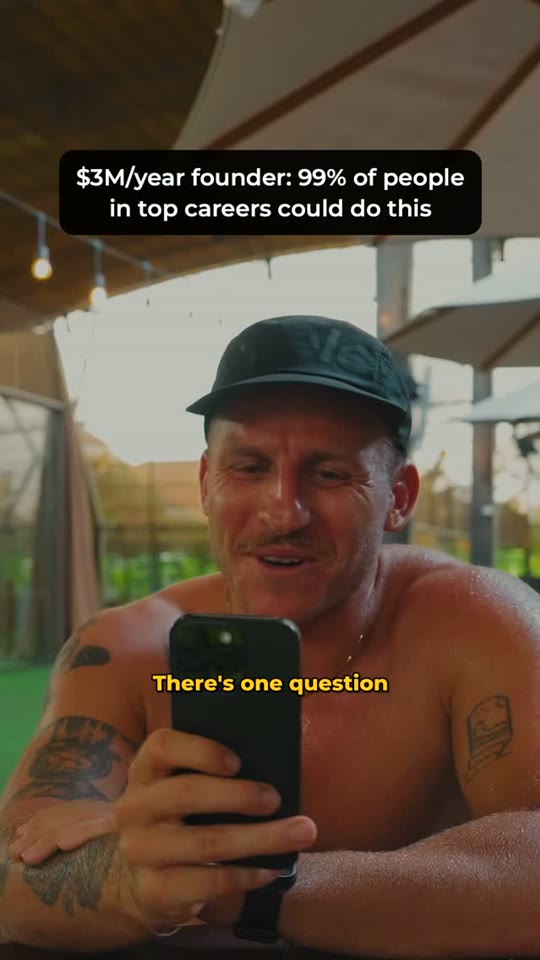 2,173 views17 saves · 15 shares82 s · 8 NovView on Instagram
 2,047 views19 saves · 12 shares61 s · 3 NovView on Instagram
When a post does well, test it again with a new hook as an Instagram trial Reel. A trial Reel is shown to people who don't follow you first, and you decide later if your followers see it. You can post one from Pozy, or ask your AI to.
I tried it on my best clip, the 62,890 one. The trial Reel with a new hook got 3,115 views. Re-posted twice to my followers with other hooks, it got 24,546 and 1,761 (Pozy, 21 Nov 2026).
#What I'd steal from this, today
→ Design once, by hand. One template you love beats 200 posts that look like AI.
→ Label every box, lock everything else. Lock what Claude must not touch.
→ Let Claude write the list, but edit every line. If you wouldn't say it, don't post it.
→ Match the ask to the template. Five-tip carousel template, five-tip ideas.
→ Use batches for the weeks you can't create. Spend your best hours on the posts that can take off.
Your turn
#How to do this with Pozy
Pozy doesn't design posts, and it doesn't connect to Canva. Canva and Claude make the posts. Pozy puts them on the calendar and posts them. I co-founded Pozy, so weigh this part with that in mind.
I haven't run Millie's Canva part, or the exports in these prompts, myself.
- Make the batch in Canva. Steps 1 to 9 above.
- Ask Claude for the captions. In the same project: one caption per post, in your voice.
- Connect Instagram to Pozy (how to connect your accounts).
- Add Pozy to Claude. It's one link: add Pozy to Claude. Pozy is a custom connector (one you add by its link), and Claude's free plan allows one. Canva comes from Claude's own list, so you can have both in the same chat.
- Send the prompts below. Pozy tells your AI to check the post with you before it posts.
Use Pozy for this. Make a posting queue on the Pozy profile my Instagram is in: Monday, Wednesday and Friday at 9 AM in my timezone, and make it my default queue. If I already have one, ask me first. Show me the next 6 slots before you save it.
Use Pozy for this. Export every page of these Canva designs as separate files with Canva's tools: [Canva links]. PNG for quotes and carousel slides, MP4 for Reels. Copy each file into Pozy. Each carousel's pages go in one post, in page order. Then add them to my default queue in turns: a quote, then a Reel, then a carousel, so quotes land on Mondays, Reels on Wednesdays and carousels on Fridays. Check which day the next free slot is, and start with that day's type. Use the captions you wrote. Show me the full plan before you add anything.
Use Pozy for this. Export the 8 pages of this Canva carousel as PNG files with Canva's tools: [Canva link]. Copy them into Pozy and schedule them as one Instagram carousel, in page order, this Friday at 9 AM in my timezone. Caption: [caption]. Show me the post before you schedule it.
Use Pozy for this. Export this Canva Reel as an MP4 with Canva's tools and copy it into Pozy: [Canva link]. The text is already on the video. Post it on Instagram as a trial Reel with this caption: [caption]. Let me decide later whether my followers see it. If you cannot see Pozy's tools yet, tell me how to connect Pozy first.
If Claude can't export separate files, download them in Canva and add them in Pozy's dashboard: Create post, then Add to queue.
Pozy posts up to 10 images or videos in one Instagram carousel. Instagram's own app takes up to 20. Millie's outline is 8 slides, so it fits.
Rather plan it all in a spreadsheet? Pozy can turn every row into a scheduled post at once: bulk upload.
#Questions
Do I need Canva Pro for this? To connect Canva to Claude, no. Every Canva plan can. But Brand Templates, locking, Bulk Create and saving designs as templates are Pro features on Canva's pricing page. Pro is $18 a month (21 Nov 2026).
Can I add trending music to the Reels? Millie's format is B-roll, text and trendy music. You can add music in Canva before you export. Pozy's Instagram docs also list attaching a track from Instagram's audio library, when Instagram is connected through a Facebook login. I haven't tried that one.
Will a month of batched posts grow my account? Millie says no. The 12 batched Reels of mine that Pozy has numbers for got 351 to 2,322 views each, against 62,890 for my best Reel since October.
What if Claude breaks my template? Claude works on a copy of a Brand Template, Millie says, so the original stays as it was. The boxes you locked are there so Claude leaves them alone. Open the link, fix what you don't like, and lock more boxes next time.