Claude Code Video Editing: How Ali Abdaal Made a Launch Video in 6 Hours
Ali Abdaal gave himself one day to learn AI video editing from zero. His full workflow, step by step: the tools, the three tests, what failed, the five lessons, and the short notes that got him close to his human editor.

Co-founder of Pozy · Updated 21 Nov 2026 · 21 min read
After this article, you'll be able to:
- Break a video edit into parts an AI can do one at a time
- Set up Claude Code with HyperFrames, Remotion and DaVinci Resolve
- Run three tests and score them honestly
- Ask for motion plates, and approve a contact sheet before the animations are made
- Film a short script, clean the cut, and let Claude lay the animations on top
- Change a logo late without redoing the graphics by hand
Ali Abdaal had never edited a video with AI.
So on a public holiday, with most of his team off, he gave himself one day to learn. The job was real: a launch video for CreatorGrid, one of his company's products.
Parth, one of his editors, was already editing the launch video the normal way. That gave Ali something to compare with.
His target was modest. If AI got him 80% of the way to a world-class human edit, he'd be delighted.
His first try failed at the most basic part of editing. By the evening, he put his result at about 97%.
6 hours
about how long it took from start to finish, in Ali's words
About 20
tries, he says. Not one
97%
his own estimate of how close he got to his human editor, especially on the animations
Let me show you exactly how it works.
Ali Abdaal is not affiliated with Pozy.
#The big idea: two small factories and one assembly step
Ali had 6.71 million subscribers on YouTube on 17 Nov 2026. His book, Feel-Good Productivity, is a New York Times bestseller by his own description. He edited his own videos for about 3 years while he worked as a doctor.
So he knows what a good edit feels like.
His tool is Claude Code. It's Claude working inside a folder on your computer. It can install programs, run them and make files for you. Our free AI Video Editor guide shows how to get it: the Code tab of Claude's desktop app, on a paid Claude plan.
There are two ways AI can make a video right now:
| Way | What happens | Tool Ali tried |
|---|---|---|
| Edit what you filmed | The AI drives a real video editor | DaVinci Resolve |
| Write the video as code | The AI writes code, and the code draws every frame | HyperFrames, Remotion |
He didn't know which one would work. So he tried both at once.
What worked in the end was a mix. One "factory" cleans up the footage of him talking. A second one makes short animations. A third step puts the two together.
- A clean cut of you talking
- Short animations, made as code
- Claude lays them on the cut
One word you'll see a lot: render. To render is to turn a project into a real video file.
At the end I show how the finished video gets posted from the same chat, with Pozy in Claude.
#Step 1: Break the job into parts first
Before touching any tool, Ali works out what video editing is.
| Part | What it means |
|---|---|
| Import | Bring the footage in |
| The A-cut | Cut out the mistakes, the pauses and the retakes |
| B-roll | Add what you show on top: screen recordings, screenshots |
| Animating the B-roll | Zooms, pans, fades, swipes. This is the part that takes a human editor ages |
| Music and sound | Background music, then the small sounds: risers, swishes |
| Taste | Telling a good story. What to cut, what to keep |
He bets the A-cut is where AI will struggle. When you remove a pause or a retake, you have to know where to cut so it doesn't sound weird.
#Step 2: Ask an AI which routes exist
He doesn't know the tools yet. So he asks an AI chatbot, Grok, for the lay of the land. His ask, with one cut marked:
I am trying to figure out how to do AI video editing. I've got some footage I need to turn into a launch video [...] I want to see if I can use AI video editing to make a launch alternative edit. Ideally the whole thing, but also we could do a 30 to 60 second faceless launch creator type thing using motion graphics and stuff, or we could do it like talking head with screenshots like a YouTube video, some combo of all of the above. Help me figure this out.A talking head is a video of someone speaking to the camera. Faceless means nobody is on screen.
Grok came back with three routes:
| Route | How it works | Did he try it? |
|---|---|---|
| 1 | Claude drives DaVinci Resolve, a professional video editor | Yes |
| 2 | Descript for the cut, then Resolve for the finish | No |
| 3 | Remotion or HyperFrames: the video is written as code | Yes, both |
Then he tells Grok the footage is already filmed, and asks how to get started. Grok answers with setup notes.
He pastes Grok's notes into his first message to Claude, in Step 4.
#Step 3: Set up one folder and the tools
He creates a new folder on his computer and opens Claude Code in it, with Claude's Opus 5.5 model.
Into the folder goes the footage he already filmed. He also points Claude to something his co-founder Pablo made in Claude that shows the product. Claude's note back: the screenshots are good.
So have your own product screenshots ready. The animations in Step 10 are built on them.
| Tool | Its job | What it cost him |
|---|---|---|
| DaVinci Resolve Studio | The video editor Claude can drive | About $300, an 8.5 GB download |
| HyperFrames | Writes animations as code | Nothing. Grok's notes pointed to Claude's plugin marketplace. Claude then installed it into the project |
| Remotion | Also writes video as code | Nothing |
| FFmpeg | Cuts, joins and exports video files | Nothing. Claude asked to install it, he said yes |
| Whisper | Turns his voice into text | Nothing. Claude installed it |
Four more show up later: FireCut, a Whisper transcription app, Epidemic Sound and Canva.
Why the paid Resolve? Grok's setup notes said the link between Claude and Resolve needs Resolve Studio, version 21.1.
If you can't find the plugin marketplace, I'd ask Claude Code to install HyperFrames for me.
On 17 Nov 2026, Blackmagic's site listed Resolve Studio at $236, down from $295.
HyperFrames is made by HeyGen. Its site calls it free and open source. Remotion's site says it's free for individuals and for companies of up to three people, so check that one for your company. Both pages read on 17 Nov 2026.
#Step 4: Send one first message, with a small test
His first message is short. He says what he's making and with which tool, that footage exists, and he pastes Grok's notes. A few messages later he adds what he wants to see. My version of the whole ask, in one message:
I'm trying to use HyperFrames to make a launch video for [product]. I've already filmed footage of me talking. It's in this folder, but we don't have to use it. Here are notes on my options: [paste the notes]. I want to see three versions: faceless with music only, my voice over the animations, and my voice with my face. Run a short test first.| Version | What's in it |
|---|---|
| Faceless | Music and text, no voice |
| Voice only | His voice over the animations |
| Voice and face | Him on screen |
He wants the third one because he thinks his face and voice carry trust.
Claude sets the project up and runs a 10-second test first, to check that everything works.
#Step 5: Connect Claude to DaVinci Resolve
While Claude works, Resolve finishes downloading. Ali had never opened it.
In Resolve's menus, he finds an option called "Set up AI assistant".
- Resolve: Set up AI assistant
- An installer opens for Claude's desktop app
- He clicks install
- He asks Claude Code if it sees Resolve
- Claude says yes
He's about half an hour in.
#Step 6: Have Claude write the brief for a second Claude
While the first chat works on HyperFrames, Ali wants Resolve tested too. He doesn't write that brief himself. His ask:
By the way, can you write me a brief I can put in another Claude Code chat within this project to test out DaVinci Resolve MCP for building this video as an alternative method?MCP is the name of the standard these connections use.
Claude writes the brief. He pastes it into a new Claude Code chat in the same folder.
Later, while both are working, he asks for one more brief, for Remotion. That's his third test. He doesn't show how Remotion got set up. I'd ask Claude Code to install it.
- Chat 1: HyperFrames
- Chat 2: Resolve
- Chat 3: Remotion
After 20 minutes, the Resolve chat was running into a bunch of issues. Ali says he probably should have done them one at a time.
#Step 7: Answer the storyboard before anything moves
The HyperFrames chat didn't start by animating. Claude wrote a storyboard first: a written plan of each scene, with no animation code yet.
It planned two films:
| Film | Length | What it is |
|---|---|---|
| A | 30 seconds | Music and text only. The words and the product shots tell the story |
| B | 45 seconds, plus a 70-second longer cut | His voice. Built once, rendered twice: voice only, then with his face |
Then Claude asked him questions. His answers were short:
| What Claude needed | His answer |
|---|---|
| Data to show in the product screens | Demo data |
| Client logos on screen | Yes |
| The logo | Take it from the site |
| Length of film B | 45 seconds |
| Which of three ideas for film A | The first one |
The left column is my reading of his answers.
Claude also rendered one still picture to prove the setup works.
#Step 8: Score the first results honestly
All three methods produced a video. Here's how he rated them:
| Method | What came out | His score |
|---|---|---|
| HyperFrames | The voice version was "remarkably impressive". The silent one was a bit janky | 7 out of 10 |
| DaVinci Resolve | It got the A-cut wrong. The pauses were bad | 3 out of 10 |
| Remotion | Very buggy | 2 out of 10 |
Two details I'd keep:
- Remotion came with an editor. It opened a video editing screen in his browser. Claude told him it's Remotion Studio, which comes free with Remotion. HyperFrames gave him only the code.
- The music was his pick. He took a track from Epidemic Sound, a music library. For the silent version he chose Vivaldi's Spring, and found the result funny.
#Step 9: Shrink the job to what you'd give a human
Why did Resolve fail? Ali looks at what he asked for.
| What he asked the AI | What he'd ask a new human editor |
|---|---|
| Take about 5 minutes of footage, 10 GB of it | Take 10 minutes of footage |
| Find the best 45 seconds | Edit only the first 60 seconds |
| Turn it into a story, with clean cuts | That's enough to get a feel for how they edit |
The right column is how his team tests a new editor. Picking the story out of raw footage is a different skill from editing. He was asking for both at once.
His first lesson, in his words: "treat the AI like a human and give it the task that you would give to a human with the same level of instruction."
Then he splits the work. He talks it through with the AI, and lands on the two factories from the top of this article:
- The A-cut. Real footage of him, cleaned up.
- Motion plates. Short animations of the product, with zooms and pans.
- Assembly. Put the plates on the cut. Nothing else.
He didn't know the words "motion plate". The AI used them, so he asked what they meant. A motion plate is a short, finished animation, 3 to 8 seconds, that you drop onto your video.
That's his second lesson: learn the words the professionals use. Once he had the word, he could ask for exactly that.
#Step 10: Ask for motion plates, and check the contact sheet first
Now he asks the HyperFrames chat for plates he can lay over a clean cut. My version of that ask:
I'll give you a clean cut of me talking. Make motion plates I can lay over it: short animations of 3 to 8 seconds, built on the real product screenshots in this folder. Show me the plan before you render anything.Claude's plan for the plates:
| Setting | Value |
|---|---|
| Background | See-through |
| Size | 4K, a very sharp picture |
| Smoothness | The same number of pictures per second as his footage |
| Files | One per plate |
See-through means only the animation shows, with no black box around it.
He gives Remotion the same ask.
Then Claude shows a contact sheet: one page of small pictures of the plates.
Ali likes it, except one thing. The fake video thumbnails in the plates have flat coloured backgrounds. He wants them to look like real creator videos. Claude swaps them for photo-style images it generates with Canva. He doesn't show how Claude reached Canva. Canva has its own connector for Claude. Florian shows how to set it up in Claude + Canva.
His third lesson: get the AI to show you the plan before it builds anything.
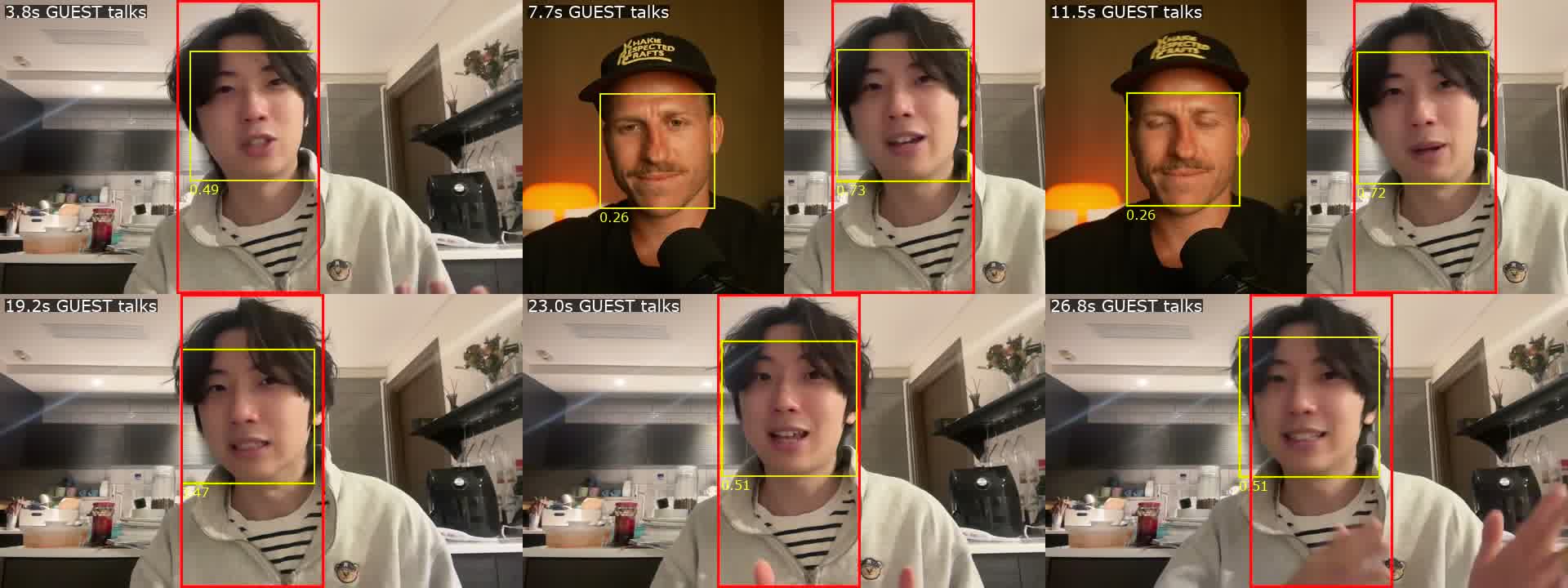
A close cousin of this: my co-founder Florian has Claude check his podcast clips on a sheet before he watches them. It looks like this:
#Step 11: Film a short script, then make the clean cut
His fourth lesson: if you want a short video, film a short script.
Claude already had the transcript of what he filmed. So he asked it for a tight script from that. My version of the ask:
The transcript of the video I filmed is in this project. Write me a tight 45-second script from it.He liked the script, and filmed it again.
Then the A-cut. He doesn't let Claude try this time.
- FireCut makes a rough first cut
- He fixes it by hand in Resolve
- A Whisper app turns it into text
- The text goes to Claude
FireCut is an editing add-on his own team built, first for their own use. Its first cut wasn't good enough, so he finished with Resolve's cut tool.
He says he probably could have done it with AI, but didn't have the time to figure it out.
You don't need his Whisper app. Claude can make the transcript: Whisper is installed since Step 3.
Then he gives the transcript of the clean cut to both chats and asks for motion plates that match it. My version of that ask:
I now have a clean cut. This is its transcript: [paste the transcript]. Make the motion plates for this new transcript.Claude needs the clean cut file too. He doesn't show that part. I'd put the file in the project folder.
#Step 12: Let Claude lay the plates on the cut, then give short notes
Each chat renders its plates. Then Claude puts them on his clean cut, at the moments the script calls for them. The HyperFrames version had nine.
Then come short notes, version after version:
| Version | His verdict | What he asked for, or still saw |
|---|---|---|
| First full version, both tools | About 85% there | The graphics take the whole screen. He asks both to keep him in a small window, like a Loom video |
| Remotion, next version | About 90% | He asks to tweak the very first line and add more "juice" to the first animations |
| HyperFrames, final, after the logo change in Step 13 | About 97% there | The music is too much. A few sound effects are off. A couple of frames flash by mistake |
| Remotion, final, after the logo change | "Also pretty solid" | Nothing more |
Remotion's first full version looked a bit "AI sloppy" to him, with its gradients and a few frames that flashed by mistake.
My version of his first note:
Don't fill the whole screen with the graphics. Keep me visible in a small window, like a Loom video.The music and the sound effects came from Epidemic Sound. He lined them up, then left Claude working while he took a call. He doesn't show how the files reached Claude. I'd download the tracks and put them in the project folder.
Most of his messages were minor prompts, he says.
#Step 13: Change the logo late, and let Claude redo every plate
During that call, Pablo sent him a brand new logo. The video was about 90% done.
In a normal edit, that hurts. It often means redoing every graphic by hand.
Ali's ask to Claude, lightly tidied:
This is the new CreatorGrid logo. Can you update the styles of the video to match, including the relevant colors and vibe?Claude rendered every plate again with the new look.
His fifth lesson: when your video is code, changing your mind is cheap.
#Where it stops, by Ali's own account
- Parth's edit was better. Ali watched it and said so. His line: human plus AI is the sweet spot right now.
- The two edits aren't the same video. Parth edited the first, longer take. Ali's final is the short script he filmed again.
- It cost nothing on top of his Claude subscription, he says. That leaves out Resolve Studio, which he bought and didn't need for the plates. Epidemic Sound is a paid music library, and FireCut is his own team's tool.
He keeps all the code Claude wrote, so the next video starts from there.
#Another way in: teach Claude one editing style first
Ali started from an empty folder. Joseph, a video editor, starts from a style he wants to copy.
He shows it in his video of 31 Oct 2026, on one clean, minimal style of talking head video. His channel had 208,000 subscribers on 18 Nov 2026. He is not affiliated with Pozy, and the video sells his own editing course.
How he trains Claude, in order:
| Step | What he does |
|---|---|
| 1 | Downloads 20 videos in the style |
| 2 | Watches each one. When a scene looks good, he asks why: the design, the colours, the effects, the animations |
| 3 | Screenshots every scene he likes onto one board in Figma, a design tool. About 130 pieces |
| 4 | Sorts them into the 10 building blocks of the style, and notes the fonts, colours, sizes and patterns |
| 5 | Gives Claude the 20 videos and a link to the board |
His ask, from the video's captions, lightly tidied:
I want to teach you a new editing style. Analyze this clean, premium minimal editing style using the 20 reference videos. Start by creating a word-by-word transcript and a frame-by-frame breakdown of every single video to study three main things. First, where the animations are placed in correlation with the script. Second, how the design is composed and what elements make it up. And third, the animation logic: how long the animations are and what they feel like, so you can recreate them. Then use the Figma board as a reference that breaks down the elements of the style, and master the style using both, so that I could prompt you to recreate it.Claude saved what it learned as a skill, he says: a set of instructions it can load again. It also pulled 225 animations out of the 20 videos to use as references.
His way to think about it: the videos teach Claude the logic behind the animations. The board teaches it the design.
The board needs a deep understanding of editing, he says, so it might be hard if you're new.
He doesn't share the skill files.
Then he edits one raw clip with it. Like Ali, he asks for a plan before any animation. His ask adds three things:
- a transcript, word by word
- every silence cut out
- a planning page: the script on one side, Claude's suggested designs on the other
My version of that ask:
Use the editing style skill to edit this clip. Start with a word-by-word transcript and cut out every silence. Before you build anything, give me a planning page: the script on one side, your suggested design for each line on the other, so I can choose.He picks a design for each line himself, and calls that the most important step. His pattern: when the speaker announces a new idea, stay on his face. When he explains it, show it.
He pastes the finished plan back and asks Claude to build the edit. He also tells Claude it can use his Chrome browser and his files to find the pictures and footage it needs.
Claude then builds each scene in Remotion and renders the video. The first draft is 60 to 70% of the way there, he says. He sent six notes, then asked for the sound.
| Part | Time, by his count |
|---|---|
| Cutting the clip and making the planning page | About 15 minutes |
| His own planning | 15 minutes |
| Claude building the edit | About 60 minutes |
| His notes | 10 minutes |
| Sound and music | 15 minutes |
About 2 hours in total. The only cost he names is his $100 a month Claude plan.
The 20 videos he trained on are another creator's. I'd train Claude on my own best videos.
#After the edit: getting the video posted
I co-founded Pozy, so weigh this part with that in mind.
1. From your computer to a draft post.
In November 2026 we added a small script for DaVinci Resolve. After a short setup, it sends a video to Pozy as a draft post.
| Your video | What the script does |
|---|---|
| A file Claude made, like Ali's | Ask Claude Code to run the script on the file. The setup page has the exact line. This works without Resolve |
| An edit you finished in Resolve | One click in Resolve's Scripts menu. It tells Resolve to render the edit you have open, then sends it. This needs Resolve Studio |
From the draft, you or Claude pick the accounts, write the caption and choose the time. There's a panel for Premiere Pro too. The setup for both is in video editors.
It's new. I don't have a result of ours from it to show you yet.
2. Test the first line before the launch.
One of Ali's notes was on the very first line.
Your AI can post a tall version of the video as an Instagram trial Reel. Instagram shows it to people who don't follow you first. You decide later if your followers see it.
The tall version is an extra export. Ali doesn't make one.
Florian tested a new first line that way on 4 Nov 2026. It didn't win: 3,115 views against 60,143 for the first one, on 17 Nov 2026. The details are in his article on Facebook ads.
3. What this looks like on our side.
Florian's podcast clips are edited by code that Claude Code wrote. Pozy posts them.
 60,143 views1,609 saves · 461 shares46 s · 1 NovView on Instagram
 28,160 views608 saves · 362 shares129 s · 2 NovView on Instagram
His full walkthrough is in how he turns one podcast episode into two weeks of clips.
#What I'd steal from this, today
→ Give the AI a job you'd give a human. A short test first, with clear instructions.
→ Split the edit. One part cleans the footage, one makes the animations, one puts them together.
→ Learn the real words. "Motion plate" got him exactly what he wanted.
→ Approve the plan before the render. A storyboard or a contact sheet takes seconds to fix.
→ Film a short script. Don't ask anyone, human or AI, to find 45 seconds in 5 minutes.
Your turn
#How to do this with Pozy
Pozy doesn't edit your video. Claude Code and the tools above do that. Pozy posts it, schedules it and reads the numbers.
- Make the video. Steps 1 to 13 above. The prompts for Claude Code are in Steps 4, 6, 10, 11, 12 and 13.
- Connect your accounts to Pozy. Each one with its own sign-in (how to connect your accounts).
- Add Pozy to Claude. It's one link: add Pozy to Claude. ChatGPT and the others work too.
- Send the video to Pozy. With the script, it lands as a draft (video editors). Or give your AI a public link to the file, 200 MB at most.
- Send the prompts below. Your AI shows you the plan first. Read it before you say yes.
Use Pozy for this. I sent my finished launch video to Pozy as a draft. Find that draft and show it to me. Write a caption for LinkedIn, for Instagram and for YouTube (with a title) from this script: [script]. Schedule it on all three for tomorrow at 9 AM my time. Show me the full plan and wait for my yes.
Use Pozy for this. Here is a direct link to the tall version of my video, with the new first line already in it: [link]. Post it on Instagram as a trial Reel with this caption: [caption]. Show me before you post. Let me decide later whether my followers see it.
Use Pozy for this. My launch video went out 7 days ago. Read its numbers on each account: views, likes, comments, shares and saves, where the platform reports them. Tell me where it did best, and what you'd change in the first line for the next one. If you cannot see Pozy's tools yet, tell me how to connect Pozy first.
#Questions
Do I need to know how to code? Ali didn't write code. Claude wrote it, and he gave notes in plain sentences. But you do need Claude Code on your own computer, because it has to reach your video files.
Do I need to buy DaVinci Resolve Studio? Grok's notes said Claude's link to Resolve needs Studio. Pozy's send from inside Resolve needs it too. I haven't checked FireCut. Ali's Resolve test scored 3 out of 10. For the motion plates he didn't need Resolve at all. He used it to finish his clean cut by hand.
HyperFrames or Remotion? In his first round, HyperFrames scored 7 and Remotion 2. In the second, he put both at about 85%, and he liked both final videos. Remotion comes with an editor in your browser. HyperFrames is code only.
Was the AI edit as good as the human one? No. Ali said Parth's edit was better. He also said Parth uses AI in his own work.
Can Pozy edit my video? No. Pozy posts and schedules your video, and reads its numbers. The edit happens before, in your editor or with Claude Code.