How to Schedule YouTube Shorts With Claude: Two a Day, Real Numbers
The free way in YouTube Studio, then how my Claude scheduled 20 Shorts in Pozy, two a day, and what 17 of them did. Step by step, in plain words.

Co-founder of Pozy · Updated 24 Nov 2026 · 12 min read
After this article, you'll be able to:
- Schedule a Short for free in YouTube Studio on a computer
- Get Claude to write the title and description of every Short from its hook
- Pick the four YouTube settings that matter, and the one to never tick by mistake
- Schedule a whole week of Shorts, two a day, from one chat
- Know what to change in a free Claude skill's faceless video so it counts as a Short
- Read which Shorts worked, and know when to stop waiting for more views
From 1 to 9 November, my YouTube channel posted a Short or two every day. I didn't upload a single one by hand.
They're clips from my podcast, Profitable Founder. On 1 November, my Claude put 20 of them into Pozy, in two batches. The next day, I swapped the videos of two of them, Jacky's and Yasser's, for new cuts.
Two a day, around 8 AM and 8 PM Bali time. Each with its title, its description and its settings.
20
Shorts my Claude scheduled in Pozy on 1 Nov 2026
17
went live; the other 3 went back to drafts when I paused
8,477
views on those 17 Shorts
8,477 views isn't a viral story. Instagram does far better for me. But on YouTube, these Shorts cost me almost no time.
Let me show you exactly how it works.
#Some context
YouTube lets you schedule a Short for free. On a computer, in YouTube Studio, one video at a time.
That's fine for one Short a week. It's slow for two a day.
Claude can write every title. But to post, it needs something connected to your channel.
So I connected my channel to Pozy's scheduler, and Pozy to Claude. Claude writes, Pozy posts, YouTube releases each Short at its time.
The same clips also go to Instagram and X. That part is in how I post to all social media at once.
#Step 1: I start from a finished Short
A Short is a video YouTube shows in the Shorts feed. Two rules, from YouTube's own help page (read 24 Nov 2026):
- Up to three minutes long.
- Tall or square. A wide video becomes a regular video, not a Short.
Mine are tall, 1080 by 1920, with the hook on screen for the first seconds and subtitles in yellow:
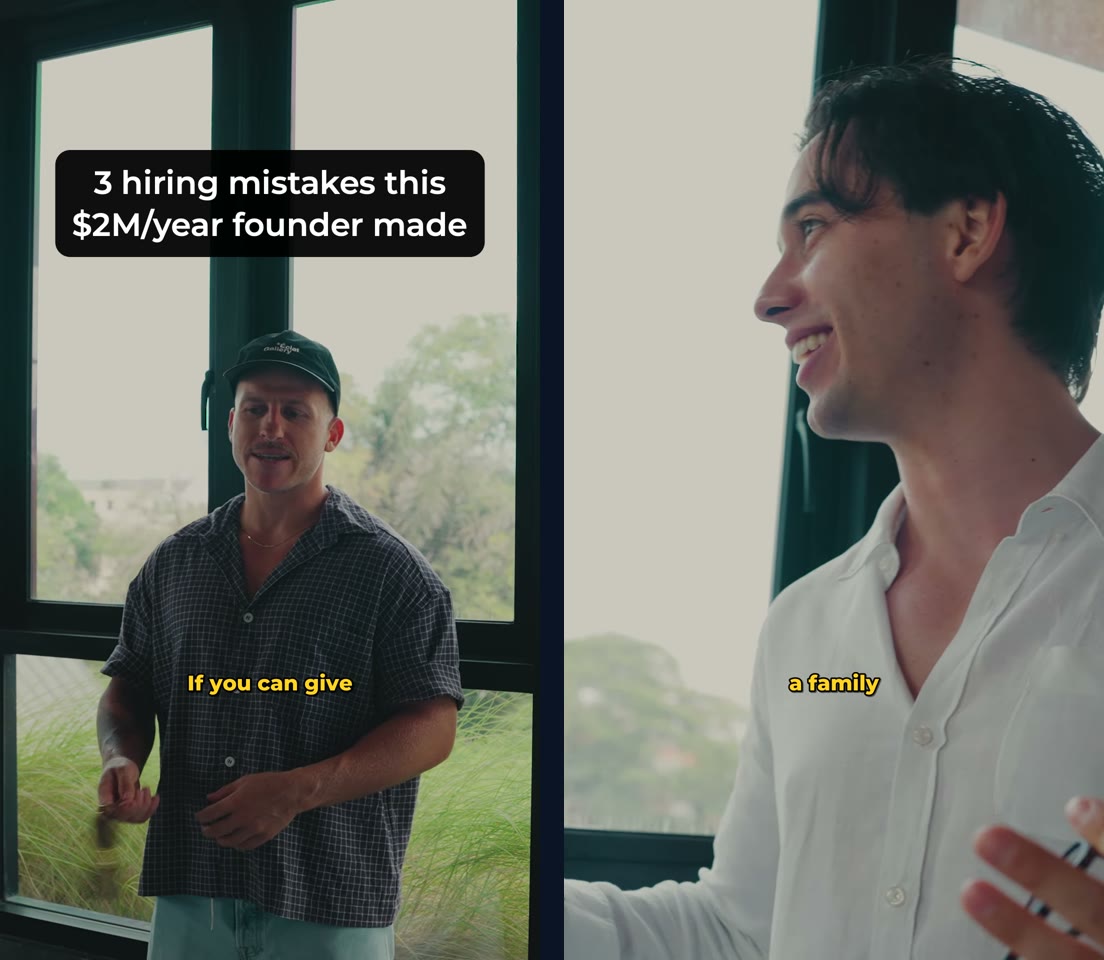
My 17 run from 30 to 169 seconds. The longest is Roman's. YouTube still shows it as a Short.
I make my clips with Claude from the podcast episodes. The whole edit is in how I turn one podcast episode into two weeks of clips.
#Step 2: No footage? A free Claude skill makes a faceless video
Lots of Shorts channels aren't filmed. They're faceless: drawings, maps, a voice telling a story.
Claude can make those too, with a skill. A skill is a set of instructions and small programs you add to Claude once. Then you ask for a video in one sentence.
We give one away: the faceless cartoon channel guide. Borja built it.
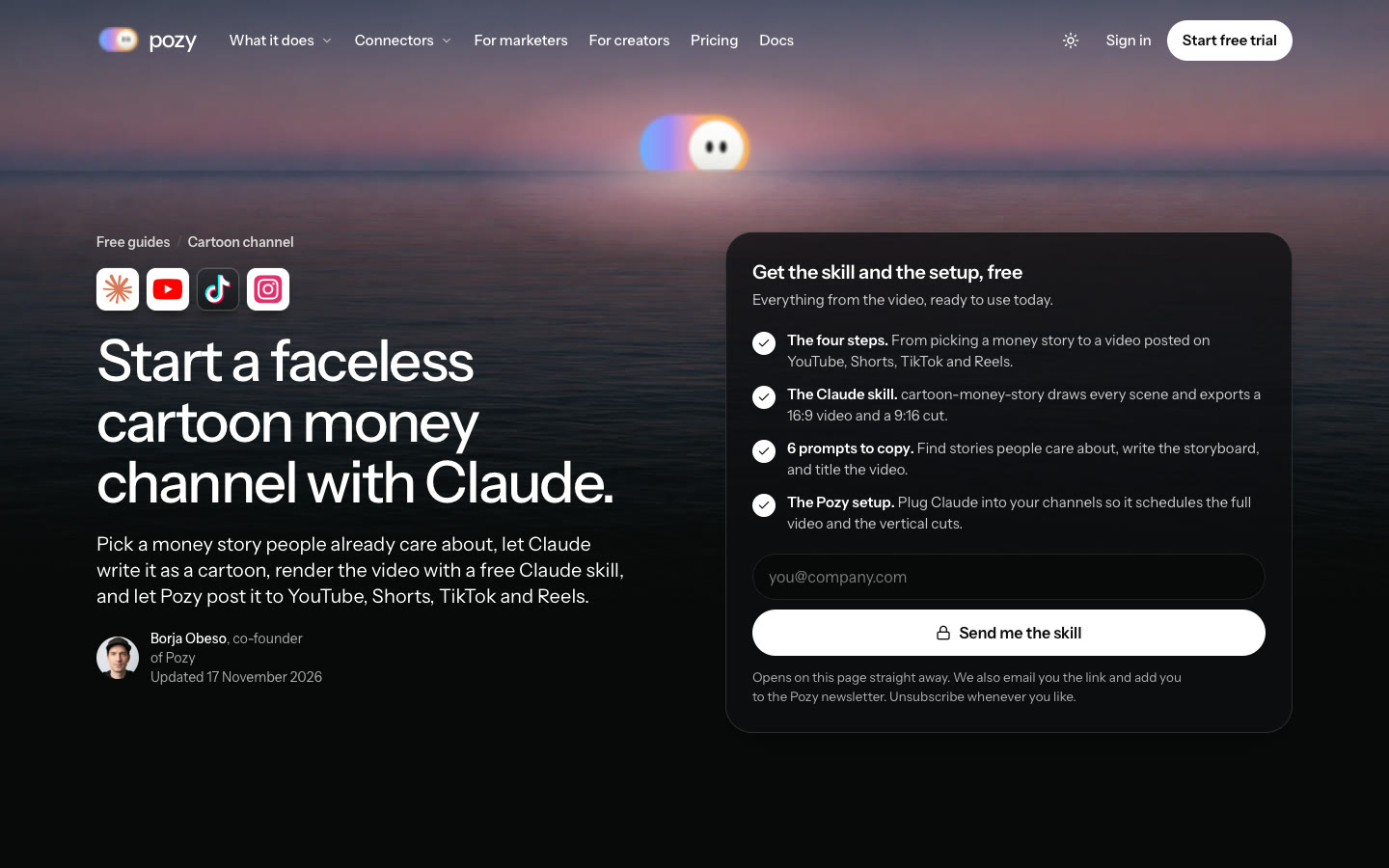
What it does, from the guide:
- Claude writes the story as a cartoon, scene by scene, from real facts it lists.
- The skill draws every scene and puts them together into a video, saved twice: wide and tall.
- The voice comes from ElevenLabs if you use it, or your Mac's built-in voice. Without either, captions only.
One catch. The guide is built for 6 to 10 minute videos, and the tall file is the whole video. Over 3 minutes, YouTube files it as a regular video, not a Short. So for a Short, ask Claude for a story under 3 minutes.
I haven't posted one of these on my channel yet.
#Step 3: The free way, in YouTube Studio
If you schedule one Short at a time, you don't need anything else. These are YouTube's own steps:
| In YouTube Studio, on a computer | |
|---|---|
| 1 | Click Create, then Upload videos, and pick the file |
| 2 | On the details screen, add the title and the description |
| 3 | Answer Made for kids on the same screen (more on that in Step 5) |
| 4 | On the last screen, click the Schedule card |
| 5 | Set the date, the time and the time zone |
| 6 | Click Schedule |
Source: YouTube Help, "Schedule videos as public", read 24 Nov 2026. Rows 2 and 3 are mine: the screen you fill in between.
On a phone, YouTube's help pages for the YouTube app and the Studio app show how to upload a Short, with no schedule step (read 24 Nov 2026). I haven't tested the apps myself. I schedule from a computer.
To change the time later, YouTube's page says: in Content, open the video's visibility, click Edit draft and pick the new time under Schedule.
Two things to know. The date shown under a public video follows US Pacific time, so a Short scheduled for the morning in Asia can show the day before. And if your channel has a strike (a penalty for breaking YouTube's rules), YouTube won't publish its scheduled videos during the penalty.
#Step 4: Claude writes the title and the description
Now my way. I give Claude the clip and its hook. Claude writes what YouTube needs. Here's the real one for the David Short, as it sits in Pozy:
Title:        $10M/year founder explains how to make money fast
Description:  $10M/year founder explains how to make money fast

              Watch the full episode: https://youtu.be/8cXGoDHsZ4w
Two rules:
- The title is the hook on screen, word for word. 100 characters at most, YouTube's limit.
- The description repeats the title, then one line with the link to the full episode.
The Short is the trailer. The full episode is what I want people to watch. On 24 Nov, the full Omar episode had 74,055 views on my channel, and it went up before his Shorts. His best Short had 867.
#Step 5: The settings that matter, and the one to never tick by mistake
Every Short carries a few settings. Claude set the first three the same way on all 20. The fourth is Pozy's default:
| Setting | What it means | Mine |
|---|---|---|
| Visibility | Who can watch it: everyone, people with the link, or only you | Public |
| Made for kids | YouTube turns off features for children's videos | No |
| Category | The shelf YouTube files it under | People and Blogs |
| Notify subscribers | Subscribers get told about the upload | On (the default) |
Be careful with Made for kids. On those videos, YouTube turns off comments, the notification bell, personalised ads and saving to a playlist.
All of it is in YouTube in Pozy.
#Step 6: Claude schedules the whole week from one chat
I tell Claude what goes out and when. It shows me the plan, I say yes. Claude first copies each video into Pozy, then creates every post.
These are the first six, as they sit in Pozy, in Bali time:
1 Nov   20:05   David    $10M/year founder explains how to make money fast
2 Nov   08:04   Roman    $3.5M/year founder on what really happens inside YC
2 Nov   19:58   Jacky    $374K/month founder "Do this in 2027"
3 Nov   07:56   Yasser   This guy grew a SaaS from $0 to $1M in 117 days
3 Nov   20:06   Chris    He made $0 his first year. Now he's at $2M/year
4 Nov   07:56   Omar     The comment trick behind this $3M/year founder's viral reels
Two a day, never on the round hour. Claude moves each Short 1 to 8 minutes off 8 AM or 8 PM. My Instagram and X posts use the same two slots, and the idea is that they don't all land at once.
Guests alternate. On the 17 that went live, after the first four, Chris and Omar take turns, morning and evening.
Every post also notes which episode it links to.
You see it all in one content calendar:
#Step 7: Pozy uploads early, YouTube releases on time
- Pozy uploads the Short early, as private
- YouTube processes it
- YouTube makes it public at the set time
The time is set inside YouTube itself, so YouTube has time to finish processing the video first. On my 17, Pozy's records show each Short published at the minute it was set.
#Step 8: I add the related video by hand
Under a Short, YouTube can show a clickable link to another of your videos, right below your channel handle. On a podcast Short, that's the full episode.
Pozy can't set it. So I do it by hand in YouTube Studio, Short by Short:
| Add a related video to a Short | |
|---|---|
| 1 | In YouTube Studio, open Content |
| 2 | Click the Short |
| 3 | Pick a Related video from your channel |
| 4 | Click Save |
Source: YouTube Help, read 24 Nov 2026. YouTube's rules: your channel needs its advanced features turned on (a set of extra YouTube Studio features your channel unlocks), and the video you pick must be public or unlisted.
#Step 9: Claude reads the numbers
When I want to know what worked, I ask Claude to read the views through Pozy's analytics. Here are all 17, as of today:
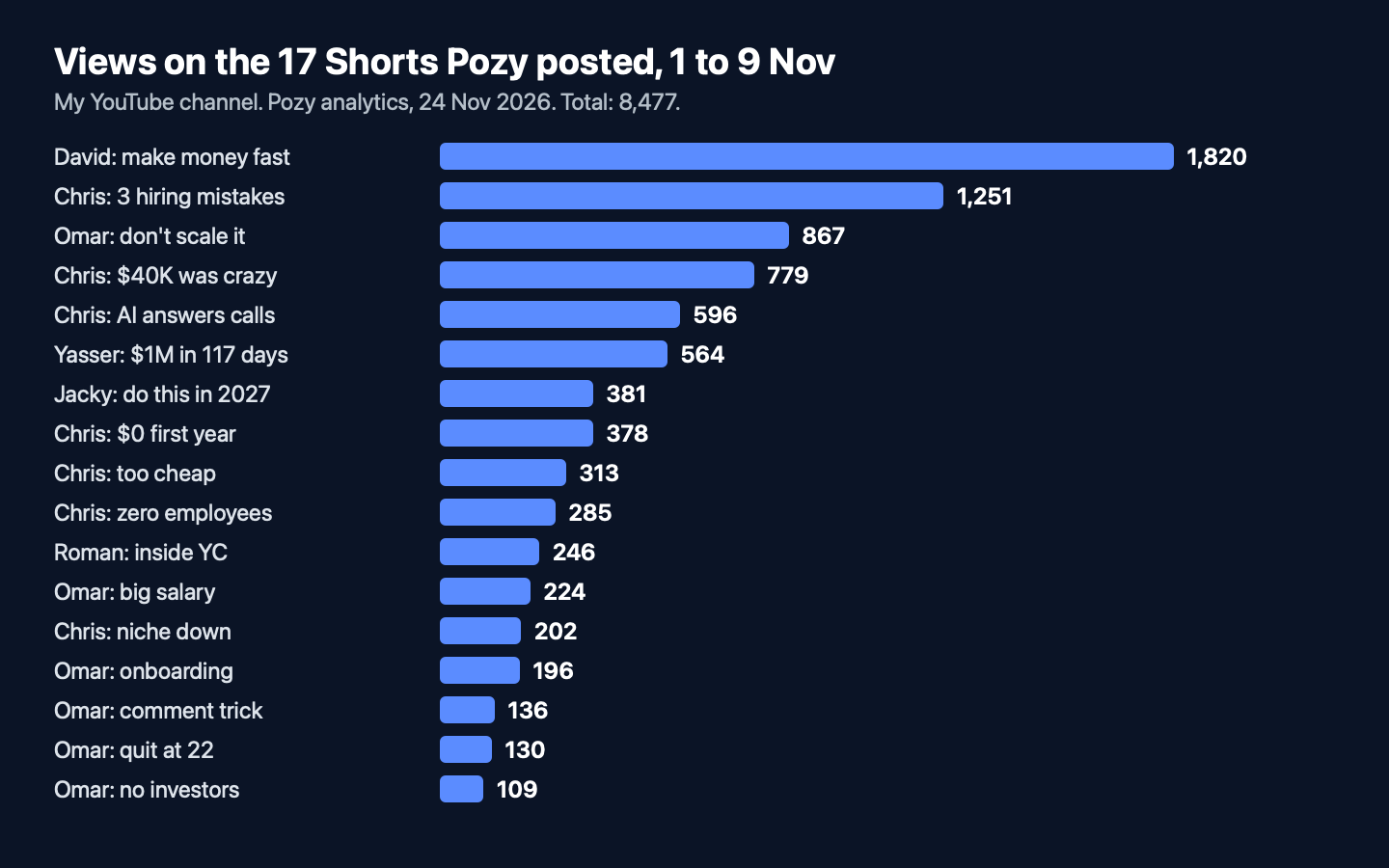
A Short gets its views in the first days. On 13 November, 16 of these Shorts (the 13 Nov count left out Roman's) had 8,090 views. Today, the same 16 have 8,231. 141 more views in 11 days.
So on my channel, a week is enough to judge a Short. I don't wait for a slow one to catch up.
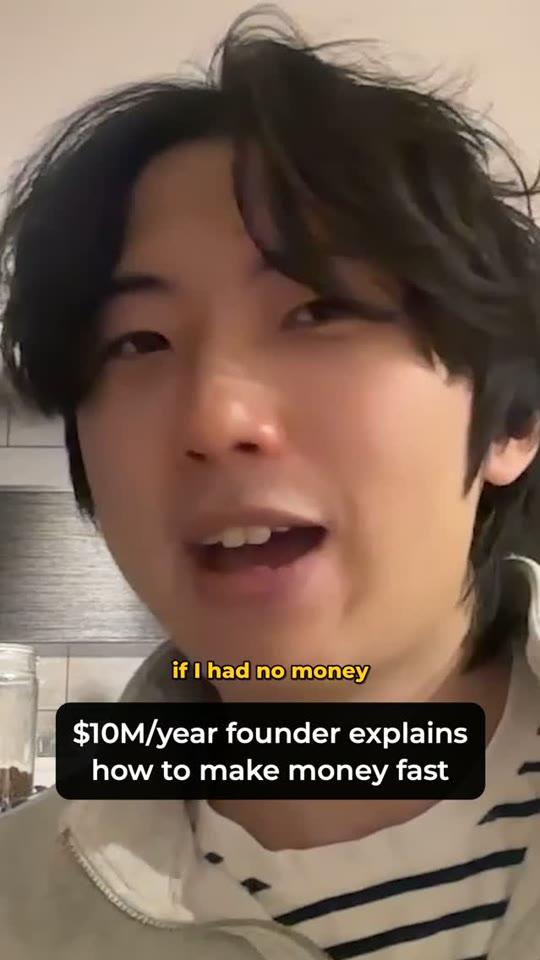
Instagram wins for me. The David clip has 1,820 views as a Short. The same clip as a Reel:
#What went wrong before it worked
I connected the wrong channel. My first connection pointed to a channel with 0 videos. In Pozy, Google shows its account chooser, and the channel you get is the one owned by the account you pick. Now Claude shows me the channel name before the first post, and I check it's the one with my videos.
YouTube connected, but couldn't post. I had to connect it again with the full YouTube permission. Since then, Claude checks the health of each connection first.
I paused, and three Shorts stayed drafts. On 9 November I paused the clips. The Shorts still scheduled went back to drafts, with their times saved. Nothing was deleted. Those are the 3 of 20 that never went live.
#What I'd steal from this, today
→ One Short a week? Use YouTube Studio. It's free and it works.
→ More than that? Batch it. One chat, one plan, a week of Shorts.
→ The title is the hook. And set the related video, so the full episode is one tap away.
→ Never tick Made for kids by mistake. It switches off comments on that Short.
→ Read the numbers after a week. On my channel, that's when a Short has had most of its views.
Your turn
#How to do this with Pozy
Pozy doesn't make your Shorts. You bring the video: your own clip, or one from a Claude skill like our free cartoon channel guide. Pozy uploads it, schedules it and reads the numbers.
- Connect your YouTube channel to Pozy. Pick the Google account that owns the channel. If the channel belongs to a Brand Account (a shared channel, not tied to one person's Google account), you need to be its owner or manager in Google, not only in YouTube Studio (how to connect your accounts).
- Add Pozy to Claude. It's one link: add Pozy to Claude. ChatGPT works too.
- Optional: make a daily queue. A queue is a set of posting times that repeat every week, like every day at 8 AM. Each new Short takes the next free slot (queues). I scheduled mine at fixed times, so I haven't run a queue on YouTube yet. The third prompt below sets one up.
- Send Claude the prompts below. Each one asks it to show you the plan first.
Here are my Shorts, each with its hook and a direct link to the video (a link that opens the video file itself; if you don't have one, add the videos in Pozy by hand and let Claude write the texts): [list]. For each one, write a YouTube title (the hook, 100 characters at most) and a description: the title, a blank line, then "Watch the full video: [link]". Show me all of them in a table.
Use Pozy for this. Before anything else, list my connected YouTube channel and tell me its name, so I know it's the right one. Then upload each Short into Pozy from its link and schedule them on YouTube: two a day, around 8 AM and 8 PM in my timezone, each moved a few minutes off the hour, starting tomorrow. Public, not made for kids. Show me the full schedule before you schedule anything.
Use Pozy for this. Make a posting queue on the profile that holds my YouTube channel: every day at 8 AM and 8 PM in my timezone, and make it the default queue. Show me the times first. Once I say yes, save it, show me the next 6 slots, then add my next Shorts to it.
Use Pozy for this. Read the views on my YouTube Shorts from the last 14 days. Rank them, tell me what the top 3 have in common, and which ones I should cut again with a new hook. If you cannot see Pozy's tools yet, tell me how to connect Pozy first.
#Questions
Can you schedule YouTube Shorts on your phone? YouTube's help doesn't show a schedule step in its phone apps (Step 3). On a computer, YouTube Studio has a Schedule card. With Pozy, you can also ask Claude to schedule them from a chat.
Is there a free way? Yes: YouTube Studio, one Short at a time (Step 3). Pozy has no free plan. It has a 7-day free trial, card required, then plans start at $29 a month for 5 channels, billed monthly (pricing, 24 Nov 2026).
Can Pozy post the same Short to TikTok and Instagram? Yes, from the same upload, each with its own text. TikTok asks you to confirm its own preview and consent step before it publishes.
What doesn't Pozy do here? It doesn't edit or make videos. It can't set the related video on a Short, end screens (the clickable boxes at the end of a video) or Premieres (a launch with a countdown and live chat). And YouTube has no direct messages, so there's no comment-to-DM on YouTube.