How to Schedule Reels on Instagram: 3 Ways in 2026
How to schedule Reels on Instagram from your phone, a computer or your AI: the exact taps, the limits Instagram sets, and how late 16 real Reels went live.

Co-founder of Pozy · Updated 20 Nov 2026 · 18 min read
TL;DR
In the Instagram app: Create, Reel, More options, turn on Schedule this reel, pick a time, tap Schedule. Any public account can do it, up to 25 posts a day and 30 days ahead. On a computer, use Meta Business Suite. To schedule a whole batch by asking Claude or ChatGPT, use Pozy ($29 a month, 7-day free trial).
After this article, you'll be able to:
- Schedule a Reel in the Instagram app, tap by tap
- Schedule one from a computer with Meta Business Suite, or from its phone app
- Find a scheduled Reel later, then edit it, move it or post it now
- Schedule a whole batch of Reels by asking Claude or ChatGPT
- Fix a missing schedule option, and know what a scheduled Reel can't have
I grew my Instagram with Pozy. Our cleanest record of scheduling Reels with it is on Florian's podcast account.
For eight days, @profitablefounder got a Reel at 8 AM and another at 8 PM. Florian, my co-founder, had Claude schedule all 16 through Pozy in one day, up to 8 days ahead.
Every one of them went live. Not one went live on the exact minute.
16
Reels scheduled in one day, two a day
8 days
how far ahead the last one was set
1
44 to 4:29: how long after its slot Pozy marked each Reel published
There are three ways to schedule a Reel. Two are free and made by Meta.
#The three ways, side by side
| Instagram app | Meta Business Suite | Your AI, through Pozy | |
|---|---|---|---|
| Where | Your phone | A computer, or its own phone app | A chat with Claude or ChatGPT |
| Account you need | Any public account | A business or creator account | A business or creator account |
| How far ahead | 30 days. A year with Meta One, Meta's paid plan | Meta's page gives no number | Florian set Reels 8 days ahead |
| How many | 25 posts a day | Meta's page gives no number | 100 in 24 hours in Pozy's Instagram guide. Meta's own docs also say 50 in places |
| A batch in one go | The steps cover one Reel at a time | The steps cover one Reel at a time | Yes |
| Price | Free | Free | $29 a month, 7-day free trial |
The first two columns come from Instagram's and Meta's help pages, read on 19 November 2026. The third is Pozy's social media scheduler, the tool Florian and I built and use.
Pick the app if you post a few Reels a week from your phone.
Pick Business Suite if you edit on a computer and want a calendar.
Pick the third way if you batch a week of Reels, or want them on other platforms too.
Why schedule at all? You film and edit when you have the time, and the Reel still goes out at the hour your followers are on. You don't have to be on your phone at 8 PM.
#What Instagram allows today
You may have read that you need a professional account, and that you can schedule 75 days ahead.
Instagram's own help page says neither today. Here is what its scheduling page says:
| Rule | What Instagram's page says |
|---|---|
| Who can schedule | Any public account. A private account can't |
| How far ahead | Up to 30 days |
| How many | Up to 25 posts a day |
| What you can schedule | Reels, photos and carousels |
| What won't schedule | Product tags, collab posts (a post shared with another account), sponsored posts, fundraisers |
| Privacy and audience | Kept as they were when you scheduled |
Want more than 30 days? Meta sells it. With a Meta One plan (Advanced, Expert or Max), the limit goes to a full year. Meta's launch post of 15 September 2026 puts Advanced at $49.99 a month and up.
Instagram's page gives no minimum lead time.
It doesn't say if instagram.com on a computer can schedule either. It only describes the app.
One more thing before you start: the video. Make it tall, 9:16. Pozy's Instagram guide gives 1080 by 1920.
#Step 1: Schedule a Reel in the Instagram app
This works on iPhone and Android. The steps are the same.
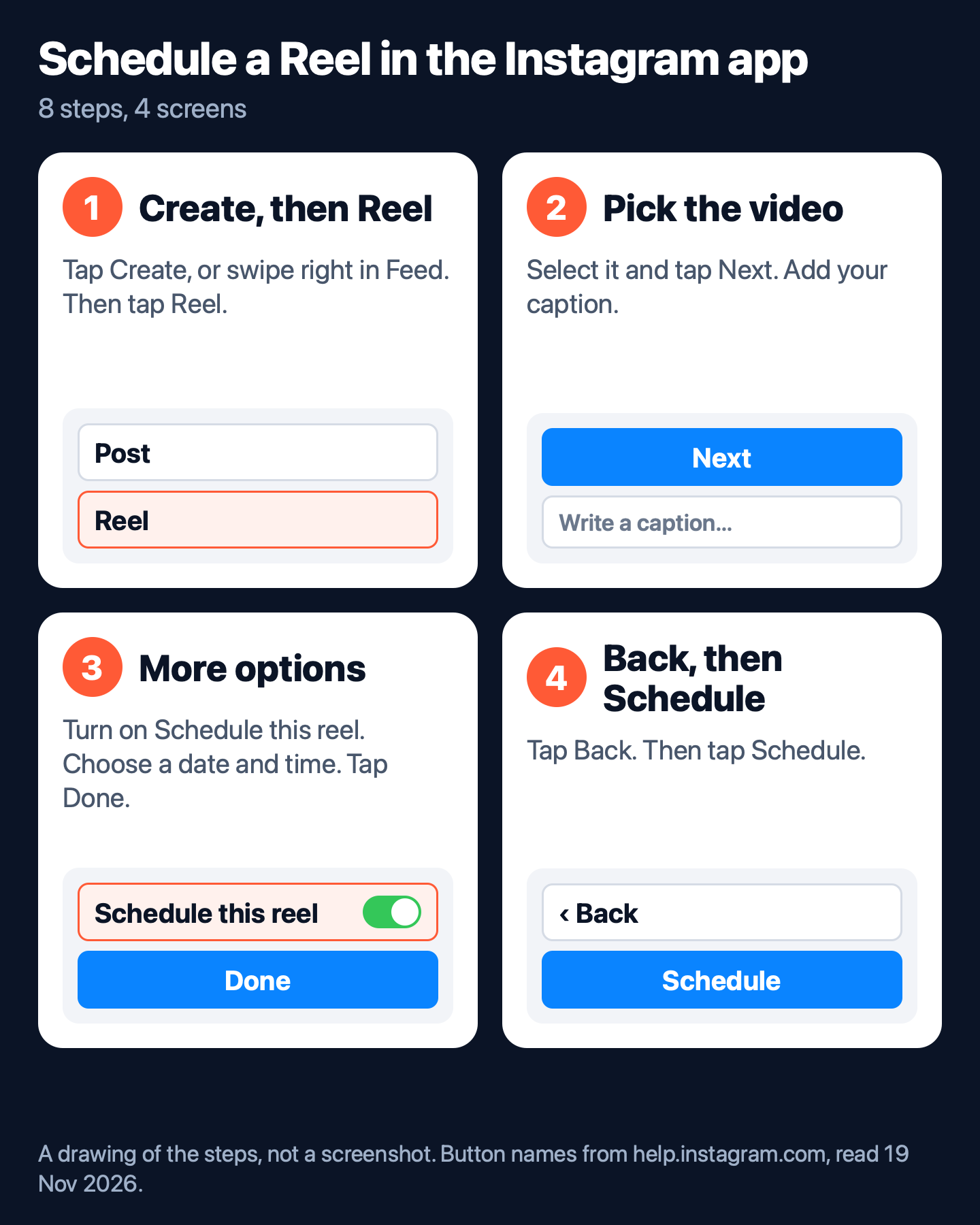
- Tap Create in the top left, or swipe right anywhere in your feed. Then tap Reel.
- Select your video and tap Next.
- Add your caption. Add effects or filters if you want them.
- Tap More options.
- Turn on Schedule this reel. Choose a date and a time.
- Tap Done.
- Tap Back.
- Tap Schedule.
Leave these off: a product tag, a collaborator, a paid partnership or a fundraiser. With any of them, the Reel can't be scheduled.
Which time zone? Meta's help page for the scheduled grid preview says times follow your device's time zone.
#Step 2: Find your scheduled Reel and change it
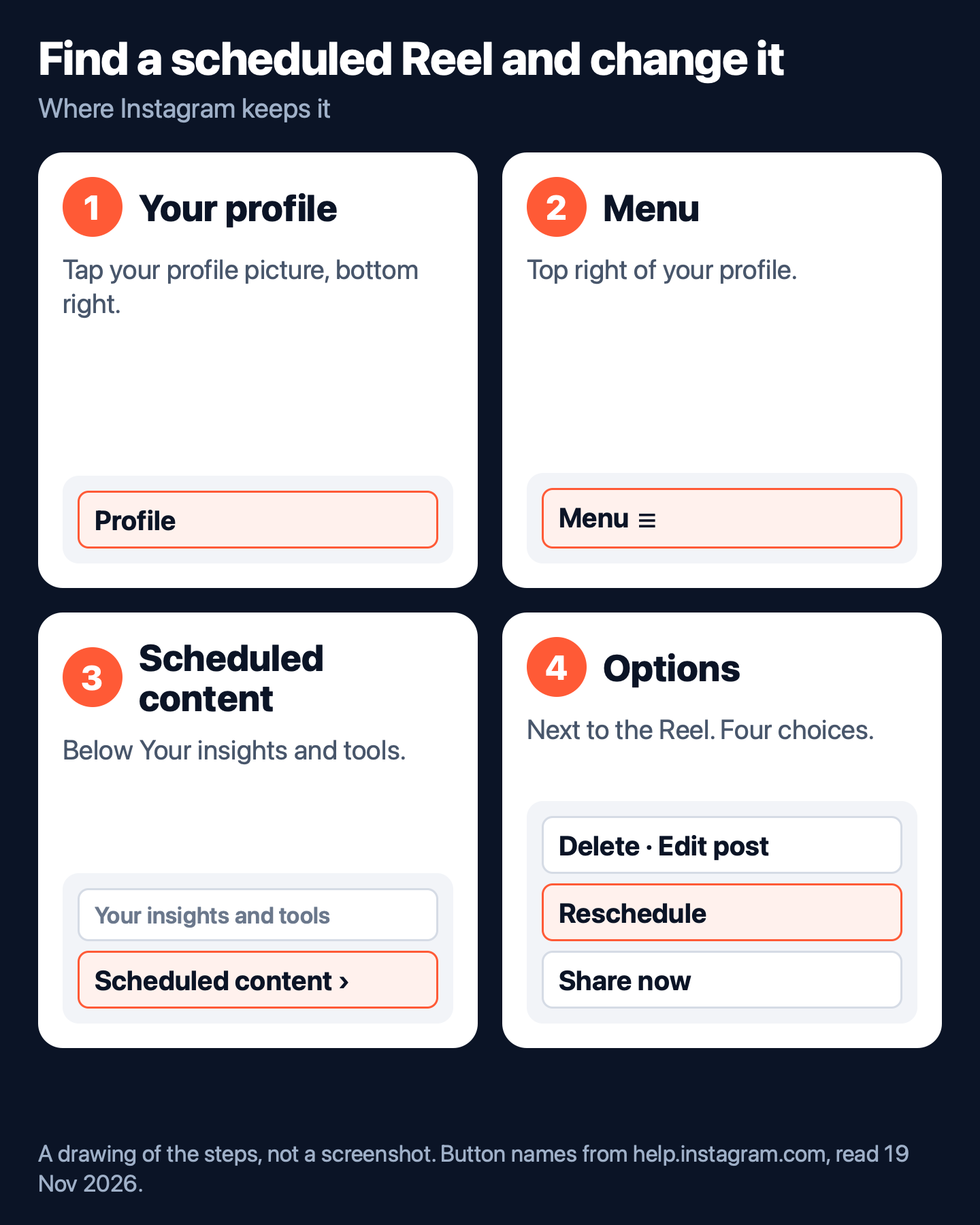
- Go to your profile.
- Tap Menu, top right.
- Below Your insights and tools, tap Scheduled content.
- Tap Options next to the Reel.
- Pick one: Delete, Edit post, Reschedule or Share now.
There's a second door. Tap Create, then Reel, then Scheduled.
Instagram's page doesn't say what Edit post lets you change. Check your caption before you schedule, not after.
#Step 3: Or schedule a Reel from a computer
On a computer, Meta's answer is Meta Business Suite. It's free.
What about Instagram's Edits app? On a phone, it hands your video to the Instagram app to share as a Reel. Its help pages don't say if you can schedule it from there.
You need a business or creator account for it. A personal account won't do, even a public one. You also need full control of the account, or content permission. That's the access level the account's owner gives you.
You don't need a Facebook Page. You can sign in to Business Suite with your Instagram login. Meta puts your accounts in what it calls a business portfolio: a folder for your Page, your Instagram and the people who can use them.
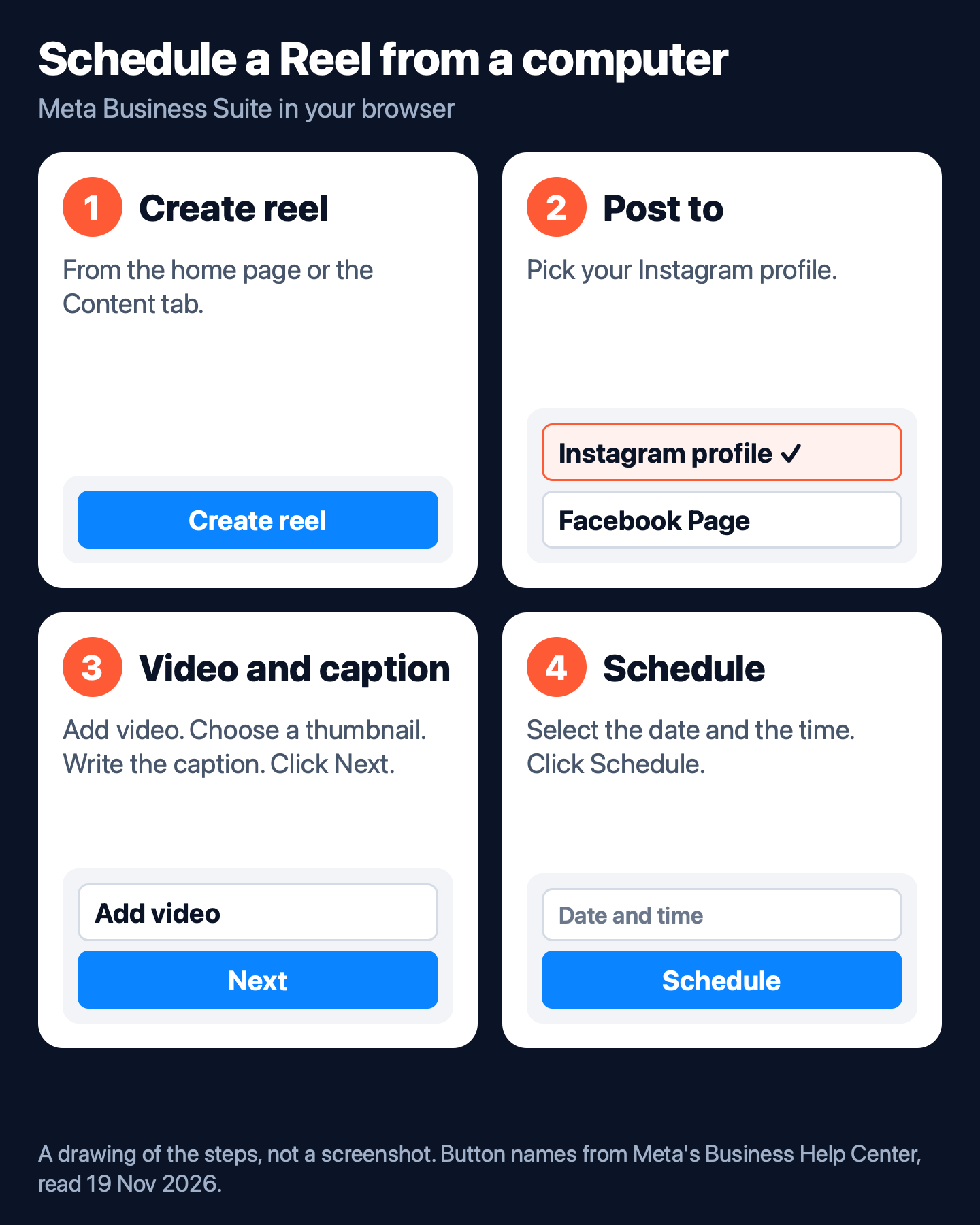
- Open Meta Business Suite in your browser, at business.facebook.com.
- Click Create reel, on the home page or in the Content tab.
- Under Post to, select your Instagram profile.
- Under Media, click Add video.
- Under Thumbnail, choose a frame or upload an image.
- Under Reel details, write your caption.
- Click Next.
- Choose to schedule, then select the date and the time.
- Click Schedule.
Two limits, both from Meta's page on Reels in Business Suite:
- You can't build a Reel from photos if it goes to Instagram.
- You can't edit the video there if it goes to Instagram. Meta's page lists changing the sound, the shape and the length for Facebook.
So finish the video first.
To change a scheduled Reel, open Content, then Posts & reels, then Scheduled. Click the three dots, then Manage post. The Planner tab shows the same Reels on a calendar.
#Step 4: Or use the Business Suite phone app
Business Suite also has a phone app. It has tools for sound, text and stickers. Meta's page doesn't say if they work when the Reel goes to Instagram.
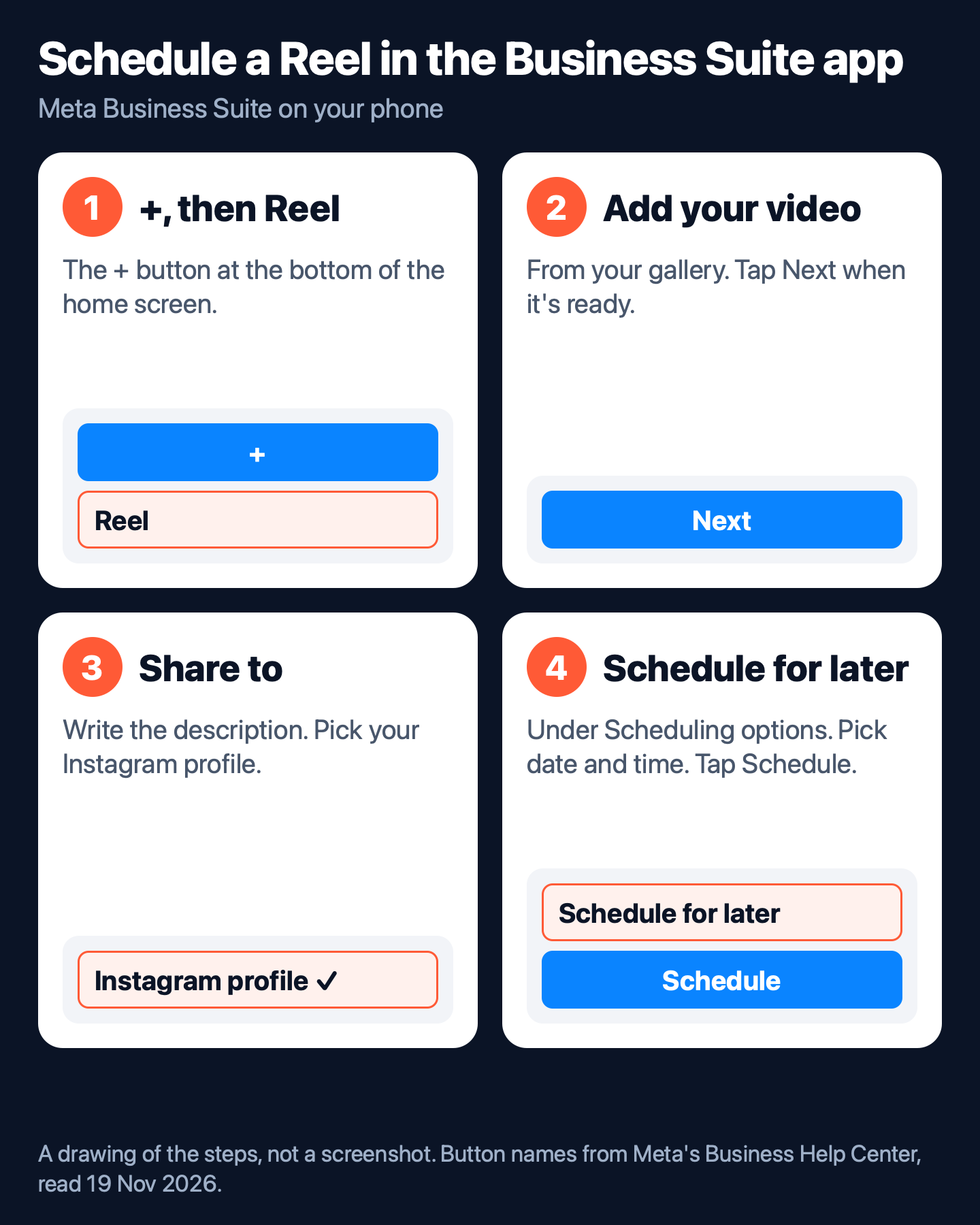
- Open the Meta Business Suite app.
- Tap the + button at the bottom, then Reel.
- Select your video from your gallery, or record one.
- Add Audio, Text, Effects or Stickers with the icons on the right.
- Tap Next.
- Write a title and a description.
- Under Share to, select your Instagram profile.
- Under Scheduling options, select Schedule for later. Pick the date and the time.
- Tap Schedule.
#Step 5: Or schedule a batch by asking your AI
The steps above cover one Reel at a time. Florian cuts 8 to 10 clips from each podcast episode. One at a time doesn't work for that.
So he uses Pozy. It connects the Instagram account to Claude, and Claude does the scheduling.
The ask looks like this. It's the same ask, reworded:
Use Pozy for this. Schedule these 16 clips on @profitablefounder,
two a day at 8 AM and 8 PM Bali time, starting tomorrow.
Alternate the guests. The caption is the title of each clip.
Show me the full schedule before you schedule anything.
The clips need to be where Claude can reach them: in Pozy's media library, or behind a direct link each. A direct link opens the video file itself. A Google Drive or Dropbox share link won't work.
On 1 November, 13 of the Reels were saved in under 5 minutes. Three more went in that evening. This is the start of the real schedule:
| Reel | Slot (Bali time) | Pozy marked it published |
|---|---|---|
| Roman, clip 1 | 2 Nov, 8:00 AM | 2 min 24 s |
| Jacky, clip 1 | 2 Nov, 8:00 PM | 1 min 55 s |
| Yasser, clip 1 | 3 Nov, 8:00 AM | 2 min 19 s |
| Omar, clip 9 | 3 Nov, 8:00 PM | 4 min 29 s |
| Chris, clip 1 | 4 Nov, 8:00 AM | 2 min 25 s |
Say your time zone in the ask. Pozy's scheduling tool reads a time with no time zone as world time (UTC). "8 PM" alone would have posted at 4 AM in Bali.
The week then sits in Pozy's calendar. Click a Reel to edit it, or drag it to another day or time.
To post at the same times every week without naming dates, set up a queue. A new Reel takes the next free slot.
#Step 6: Check when your Reels really go live
Nine of the 16 took under two and a half minutes. The slowest took 4 minutes 29.
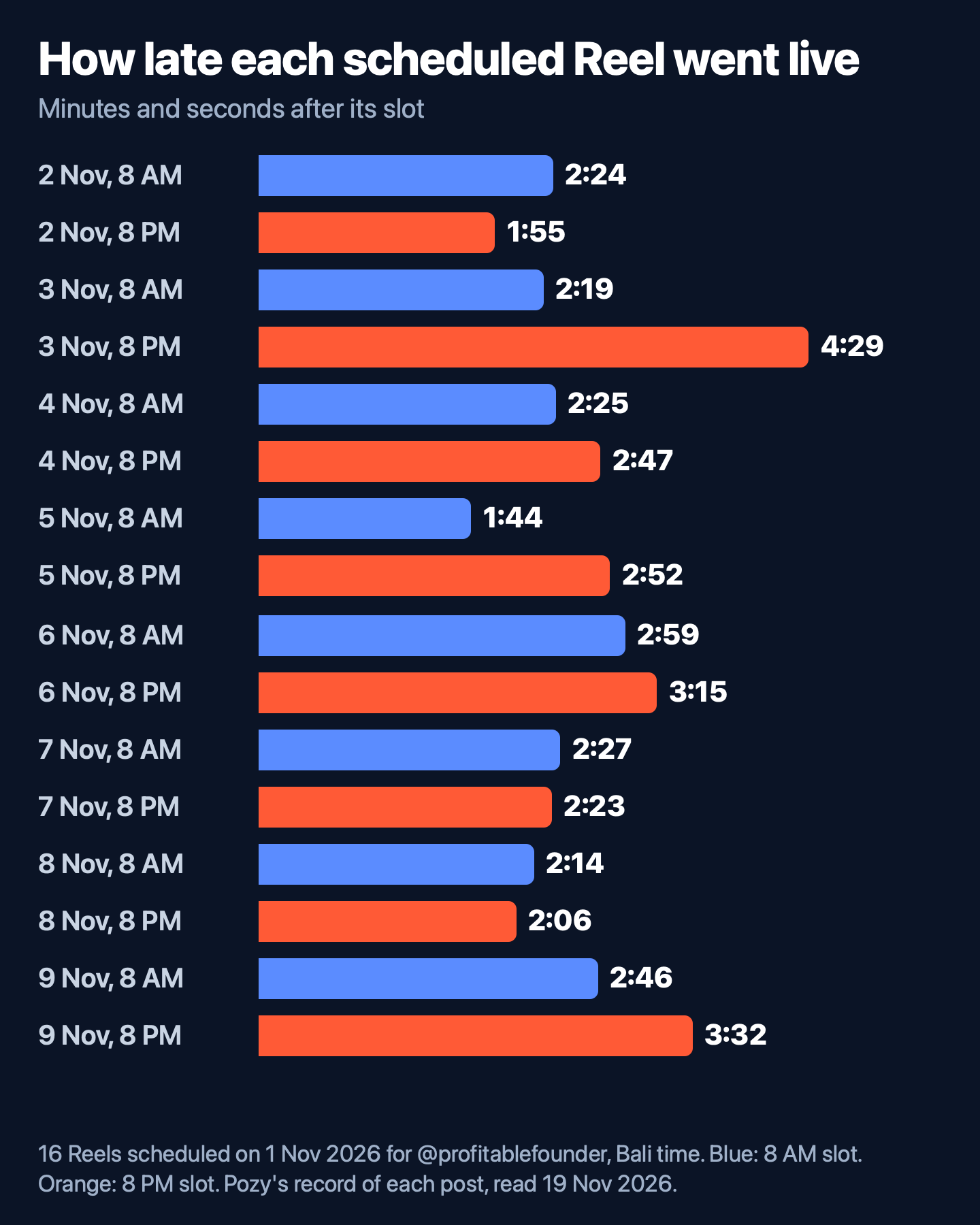
Why the gap? The video has to reach Instagram and be processed before it goes live. Our record can't split that time between Pozy and Instagram.
For most Reels, three minutes change nothing. For a launch at 9:00 sharp, set the slot a few minutes early.
We haven't timed the Instagram app or Business Suite.
#Trial Reels: post them now
A trial Reel goes to people who don't follow you first. It's a way to test a new hook, the line on screen that makes people stop scrolling.
Can you schedule one in the Instagram app? It's unclear today.
- On 2 April 2026, Adam Mosseri, the head of Instagram, posted about scheduling trial Reels: "It was a good idea, so we decided to do it."
- Instagram's help page on trial Reels doesn't mention scheduling. Its scheduling page doesn't mention trial Reels.
- On Reddit, in September 2026, people wrote that the option was greyed out or crashed the app.
So try it. If the switch is grey, post the trial Reel live at the time you want.
Pozy posts trial Reels from your AI (how in Create a post). We haven't yet had a scheduled trial Reel go live through Pozy, so we post them on the spot:
Use Pozy for this. Here is a direct link to my video: [link].
Post it on Instagram now as a trial Reel, with this caption: [caption].
Let me decide later whether my followers see it.
Florian has posted one trial Reel through Pozy on @profitablefounder. It went out right away, not scheduled, and it's at 3,115 views.

Before you post one, check your follower count. Instagram's help page says a professional account needs 200 followers for trial Reels, and a personal one 1,000.
#Pick the time from your own numbers
I won't give you a "best time to post". Your own numbers beat any list of hours.
Each tool has its own hint instead:
| Where | What it shows | Based on |
|---|---|---|
| Instagram app | Follower active times, when you choose the time | Your followers' activity over the last 28 days |
| Business Suite | Active times, when you schedule a post | Your followers' activity over the past 7 days |
| Pozy | Best time to post, by day and hour | The engagement your own posts got |
Instagram's hint is on its Meta One page, so you may not see it without Meta One.
We have numbers for 14 of those 16 Reels. Pozy has no numbers for the other two. Same account, same two slots. Views run from 350 to 5,256.
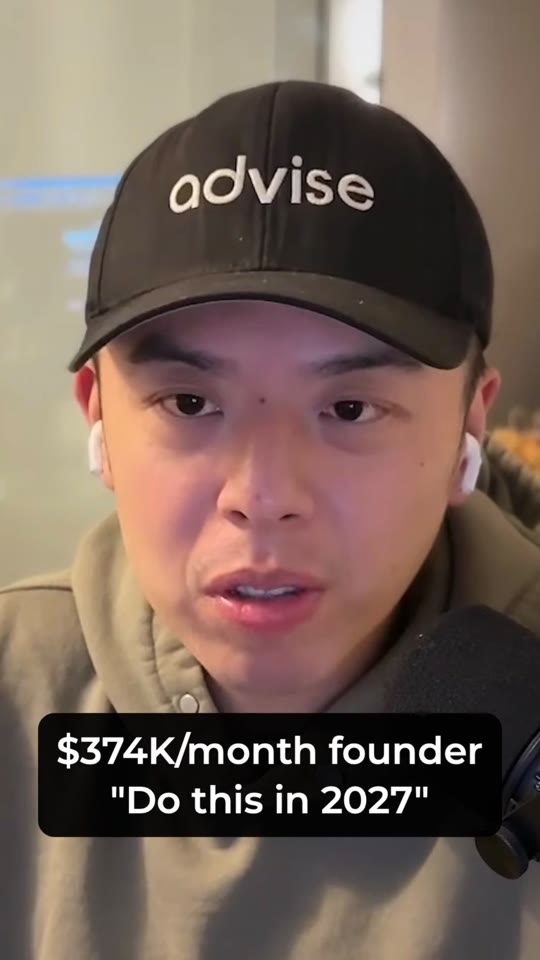 5,256 views186 saves · 87 shares29 s · 2 NovView on Instagram
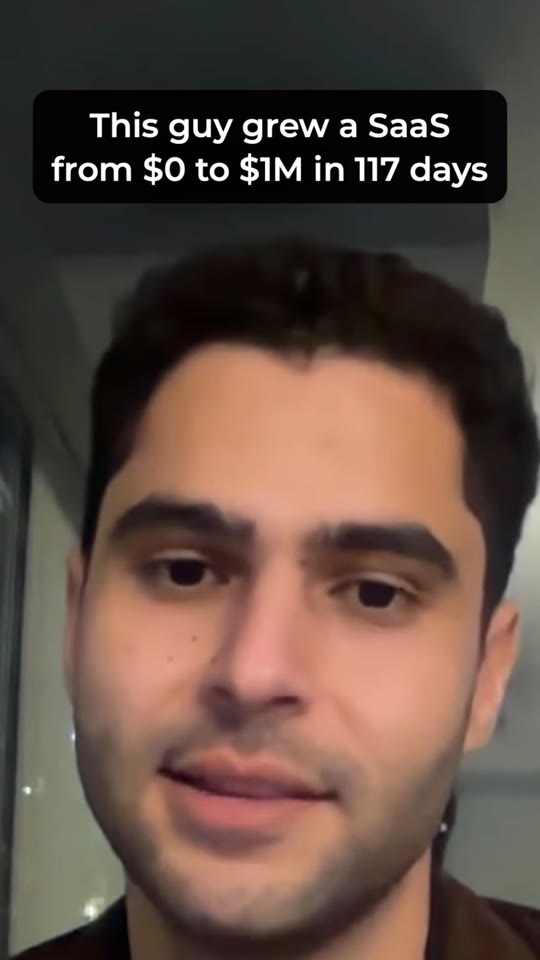 3,614 views95 saves · 49 shares29 s · 3 NovView on Instagram
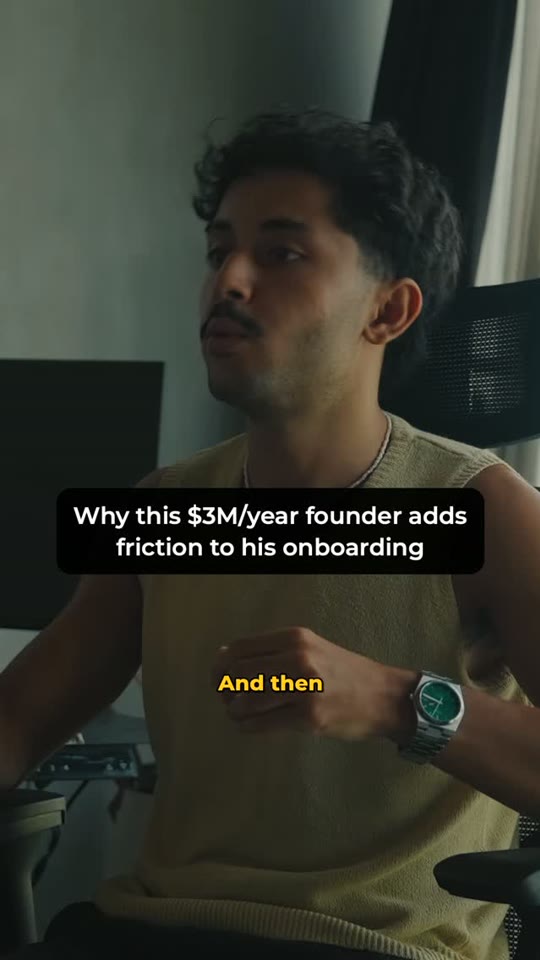 2,318 views25 saves · 33 shares39 s · 6 NovView on Instagram
 2,192 views23 saves · 4 shares65 s · 4 NovView on Instagram
 2,167 views17 saves · 15 shares82 s · 8 NovView on Instagram
 2,046 views19 saves · 12 shares61 s · 3 NovView on Instagram
The 8 AM slot gave 350 views on one Reel and 3,614 on another. The 8 PM slot gave 686 and 5,256.
The hour doesn't show in these numbers.
#What a scheduled Reel can't have
| You want | Instagram app | Business Suite | Through Pozy |
|---|---|---|---|
| Product tags | No | Not mentioned | No. Instagram doesn't let outside tools add them |
| A collab post | No | Add collaborator is listed under Manage post | Pozy's Instagram guide lists up to 3. We haven't tested it |
| Paid partnership label | No | Not mentioned | Pozy's Instagram guide lists it, if you connected Instagram to Pozy through its Facebook Page. We haven't tested it |
| Fundraiser | No | Not mentioned | Not in Pozy's guide |
| A song from Instagram's library | Not mentioned | The phone app has an Audio tool. Meta doesn't say if it works for Instagram | Pozy's Instagram guide lists library tracks, if you connected through the Facebook Page. We haven't tested it |
| Your own cover | Not mentioned | Yes, under Thumbnail | Yes. Florian's use the first frame |
| A first comment | Not mentioned | Not mentioned | Yes. Florian adds one to every clip |
"Not mentioned" means the help page doesn't say, either way.
On music: Florian's clips carry the podcast's own sound, so the Reel has its audio whatever tool posts it.
On format: through an outside tool, a Reel is an MP4 or MOV file, 3 seconds to 15 minutes, up to 300 MB.
On your grid: through Pozy, a Reel also shows on your profile grid unless you ask to keep it in the Reels tab only.
#When a scheduled Reel fails
Instagram's scheduling page doesn't say what happens, or how you're told, when a scheduled Reel can't go out. Check your Scheduled content list after the slot.
In Pozy, the colour of each post in the calendar shows if it failed. Four of the errors Pozy's Instagram guide lists for Instagram:
| Message | Why | What to do |
|---|---|---|
| Cannot process video from this URL | A Google Drive or Dropbox share link, not the file | Upload the video to Pozy, or use a direct link |
| Maximum of 100 posts per day reached | Instagram's 24-hour cap | Spread the posts out |
| Duplicate content detected | Same caption and video posted recently | Change the caption or the video |
| Access token expired | The connection to Instagram ended | Reconnect the account |
If a post goes to several platforms and one refuses it, the others still go out, and you retry just the one that failed.
#Why you can't schedule Reels on Instagram
| Check this | Why | What to do |
|---|---|---|
| Are you on the share screen? | The switch is one level down | Tap More options |
| Is your account private? | Only public accounts can schedule | Make it public |
| Is the date more than 30 days away? | That's the limit without Meta One | Pick a closer date |
| Did you schedule 25 posts already? | That's the limit for one day. Instagram doesn't say which day the 25 counts on | Try another date, or try again tomorrow |
| Does the Reel have a product tag, a collab, a paid partnership or a fundraiser? | None of them work with scheduling | Remove it, or post live |
| Business Suite: is it a personal account? | It needs a business or creator account, and content permission | Switch the account type. Ask for permission |
| Is the account brand new? | On Reddit, in 2025, people wrote that the switch showed up after a few weeks. Instagram's page says nothing on it | Wait |
| Is it a trial Reel? | A grey switch has been reported since September 2026 | Post it live at the time you want |
The first six rows come from Instagram's and Meta's help pages. The last two are what users report.
If you could schedule before and can't now, go through the first five rows. Instagram's page gives no other reason.
#Does scheduling hurt your views?
No Instagram help page says scheduling changes your reach, up or down.
So is it better to schedule or to post on the spot? I can't prove it either way. It would take the same Reel posted both ways, and we don't have that.
Your turn
#How to do this with Pozy
- Switch your Instagram to a business or creator account. You do it in the Instagram app's settings. Any outside tool needs one.
- Connect it to Pozy. Open Connections and sign in on Instagram's own screen: how to connect your accounts.
- Add Pozy to your AI. It's one link: add Pozy to Claude, or to ChatGPT, where you first turn on developer mode.
- Send the prompts below. Upload your videos to Pozy's media library first, or have a direct link for each.
Use Pozy for this. When do my Instagram posts get the most engagement? Give me the days and hours in my time zone, [your city]. Tell me how many posts back each hour.
Use Pozy for this. Here are 6 video links with their captions: [paste]. Schedule them as Reels on my Instagram, one a day at 6 PM [your city] time, starting tomorrow. Show me the full schedule first and wait for my yes.
Use Pozy for this. List my scheduled Instagram posts for the next 7 days with their times in [your city] time. Move Thursday's Reel to Friday at the same hour.
Use Pozy for this. Here is a direct link to my video, with the new hook already on screen: [link]. Post it on Instagram now as a trial Reel with this caption: [caption]. Let me decide later whether my followers see it. Tell me my follower count first. If you cannot see Pozy's tools yet, tell me how to connect Pozy first.
#Questions
Can you schedule Reels on Instagram?
Yes. In the app, any public account can schedule Reels, photos and carousels: up to 25 a day, up to 30 days ahead. On a computer, Meta Business Suite does it for business and creator accounts.
Where are scheduled posts on Instagram?
Go to your profile, tap Menu, then Scheduled content. It sits below Your insights and tools. In Business Suite, open Content, then Posts & reels, then Scheduled.
Why can't I schedule posts on Instagram anymore?
Check three things: your account is public, you're within 30 days and 25 posts a day, and the post has no product tag, collab, paid partnership or fundraiser. The table above has the rest.
Do I need a business account to schedule Reels?
Not in the Instagram app. Its help page asks for a public account, nothing more. You do need a business or creator account for Meta Business Suite, and for outside tools like Pozy.
Can I schedule Reels from a computer?
Yes, with Meta Business Suite in your browser, or with a scheduling tool. Instagram's own scheduling page only describes the app.
Can I edit a Reel after scheduling it?
In the app, Scheduled content gives you Edit post, Reschedule, Share now and Delete. Instagram doesn't list what Edit post covers. In Pozy's calendar, click the scheduled post to edit it, or drag it to a new time.
Can I schedule Instagram Stories too?
Instagram's scheduling page lists Reels, photos and carousels. Meta's Planner page for Business Suite lists stories among what it shows. Meta's launch post for Meta One lists scheduling Stories 30 days ahead in its Advanced plan. Pozy schedules Stories on every plan.
How long can a scheduled Reel be?
Instagram's help page says Reels can run up to 20 minutes, and that Reels over 3 minutes aren't recommended to new audiences. Through outside tools the cap is 15 minutes and 300 MB.
Can I schedule Instagram Reels several at once?
Instagram's and Meta's help pages only describe one Reel at a time. With Pozy, you send your AI the videos, captions and times in one message, as in step 5.
Is it free to schedule Reels?
In the Instagram app and Meta Business Suite, yes. Pozy isn't free: plans start at $29 a month, with a 7-day free trial. We compared the others in the best social media schedulers.
What doesn't Pozy do here?
It doesn't add stickers, filters or product tags: Instagram doesn't allow outside tools to. It doesn't edit your video. And it can't schedule for a personal Instagram account.
If you batch clips like Florian does, his full system is in how he repurposes a podcast into clips. The same Reels also go to X and YouTube: that part is in how to post to all social media at once. Scheduling the YouTube side on its own is in how to schedule YouTube Shorts.